Finding Your Way Around
Everything lives under BerryPress → Live Carts. The screen has a navigation bar along the side with one entry per area.
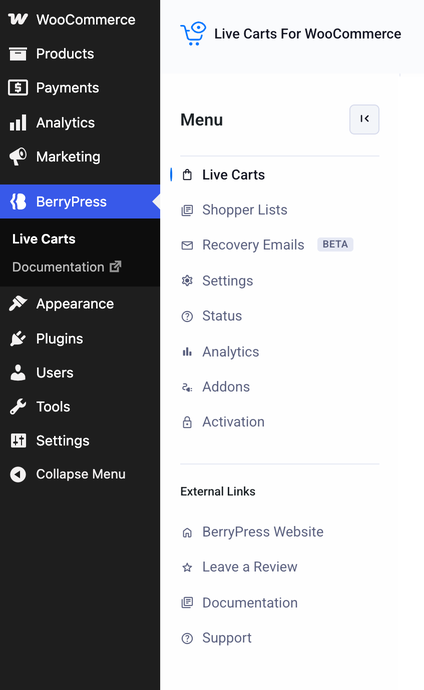
| Entry | What it's for | Read more |
|---|---|---|
| Live Carts | Every tracked cart: search, filter by status, open one for details. | The cart list |
| Shopper Lists | WooCommerce Wishlist and Save for Later lists, tracked the same way. | Shopper Lists |
| Recovery Emails | Create the emails that are sent to shoppers who left items behind. Marked Beta. | Recovery emails |
| Settings | Four tabs: Tracking, Lifecycle, Display and Email. | Settings |
| Status | Health checks and the debug log. Look here first if something is off. | Status and debug log |
| Analytics | Opens WooCommerce Analytics → Carts. | Analytics |
| Activation Pro | Appears when Live Carts Pro is installed. Enter your order number here. | Get and activate Pro |
Where did the menu go?
Since version 1.2.2 Live Carts sits under BerryPress, not under WooCommerce.