LoginBerry
- Plugin URL: WordPress.org Plugin Directory
- Support: WordPress.org Support Forum
Overview
LoginBerry provides automatic email verification for WordPress user accounts, protecting your site from fake signups, spam, and bot registrations. Every new user must verify their email address by entering a 6-digit activation code before accessing the site.
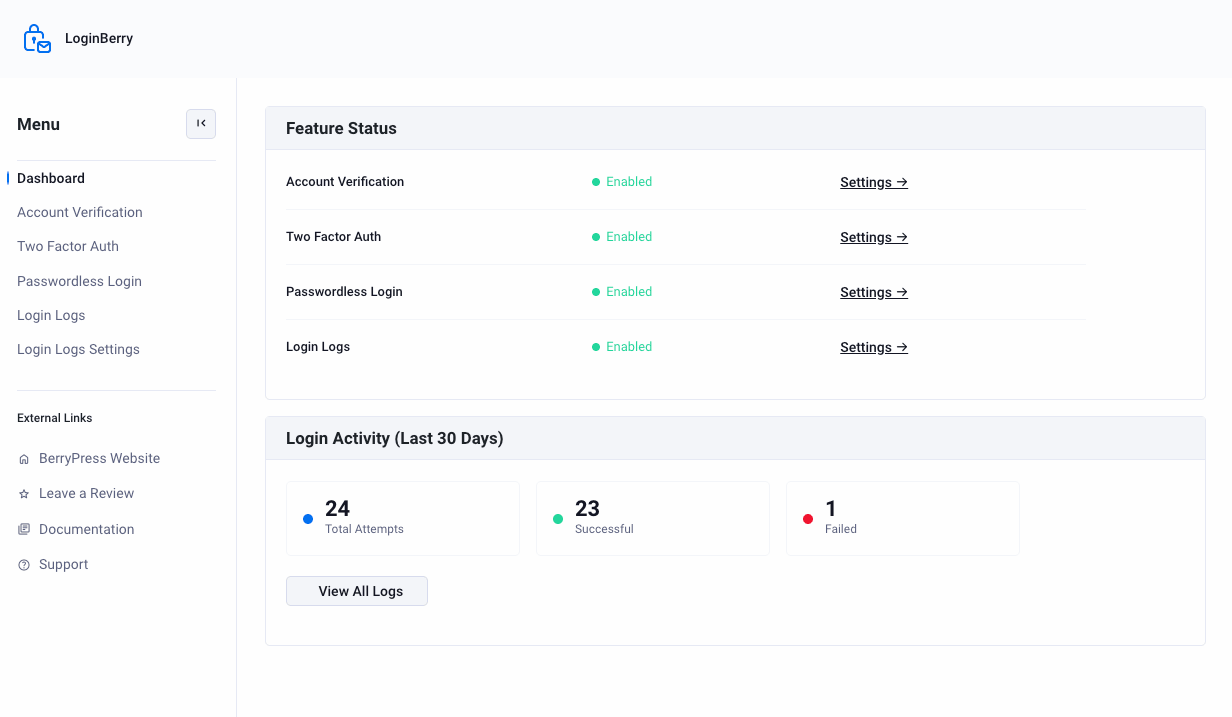
Account verification works out of the box after installation, and unverified users are automatically blocked until email verification is complete. Two-Factor Authentication, Passwordless Login, and Login Logs are additional features you can turn on from their own settings screens.
Key Features
- Automatic Email Verification - All new users must verify email before accessing the site
- 6-Digit Activation Codes - Simple, secure verification via email
- Automatic Redirects - Unactivated users redirected to activation page
- Brute-Force Protection - Accounts locked after 15 failed attempts
- Admin Management - Manually activate, resend codes, or unlock accounts from Users list
- Account Status Column - Visual indicators showing activation status in admin
- Two-Factor Authentication - Optional email-based 2FA per user role (learn more)
- Passwordless Login - Sign in with an emailed code instead of a password (learn more)
- Login Logs - Record successful and failed login attempts, with last-login tracking (learn more)
- WooCommerce Auto-Verification - Automatically verify users who place an order, optionally only after payment
- Clean Email Template - Mobile-responsive HTML email with large, readable code
- Theme Compatible - Works with standard WordPress markup and classes
How It Works
- User Registration: New user creates account via WordPress registration
- Automatic Redirect: User is redirected to
/account-activate/page - Email Sent: 6-digit activation code sent to user's registered email
- Code Entry: User enters code on activation page
- Instant Verification: Account activated, user can access site
- Security: After 15 failed attempts, account is locked
Requirements
- WordPress: 6.0 or higher
- PHP: 8.0 or higher
- Email Delivery: Working email configuration (SMTP plugin recommended)
- Activation Page: WordPress page with slug
/account-activate/
Technical Specifications
User Meta Fields
LoginBerry stores verification data in WordPress user meta:
_berrypress_user_activated- Activation status (1 = activated)_berrypress_activation_code- Current 6-digit code_berrypress_activation_attempts- Failed attempt counter_berrypress_account_locked- Lock status (1 = locked)
Email Template
Default email template location:
wp-content/plugins/loginberry/templates/activation-email.php
Template can be overridden in your theme:
wp-content/themes/your-theme/loginberry/activation-email.php
Roadmap
Planned features based on user feedback:
- Custom number of failed attempts (instead of fixed 15)
- Custom activation page URL
- Custom redirect URL after successful verification
- Optional verification only for new users (existing accounts auto-verified)
- Social login options
- Enhanced styling flexibility
Support
- WordPress.org Forum: View Support Forum
- Feature Requests: Contact us via support forum
LoginBerry is actively developed based on user feedback. We welcome suggestions, compatibility reports, and feature requests.
Next Steps
- Installation & Setup - Install the plugin and configure email verification
- Configuration - Customize templates, styling, and security settings
- Two-Factor Authentication - Add an extra verification step
- Passwordless Login - Let users skip passwords entirely
- Login Logs - Track login attempts and last login time
- Admin Management - Manage user activations