Passwordless Login
Passwordless login lets eligible users sign in on wp-login.php by requesting a 6-digit code sent to their email — no password required.
Settings: LoginBerry → Passwordless Login
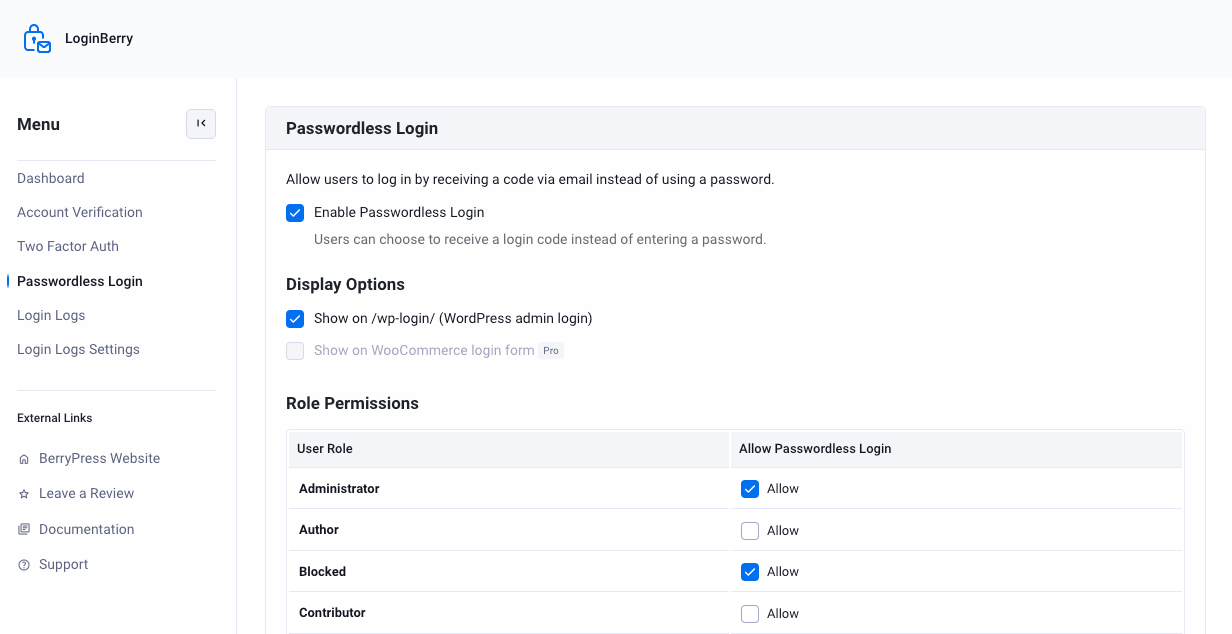
Enable passwordless login
- Check Enable Passwordless Login.
- Enable Show on /wp-login/ (WordPress admin login) (default).
- Allow passwordless login per user role using the checkboxes in the Role Permissions table.
- Save settings.
Pro
Showing the passwordless option on the WooCommerce login form is a Pro feature.
Once enabled, users see an "or send me a code" link on the login screen:
- Clicking it sends a 6-digit login code to the user's email.
- The user enters the code instead of a password to log in.
Scope
| Location | Passwordless | 2FA |
|---|---|---|
wp-login.php | ✅ | ✅ (unless passwordless used) |
| WooCommerce My Account login | Pro | ✅ |
| WooCommerce checkout / custom forms | ❌ | ❌ |
Interaction with 2FA
When both passwordless login and 2FA are enabled for the same role, passwordless login skips the extra 2FA step after the email code is entered — see Two-Factor Authentication.
Email template
Codes use templates/passwordless-login-email.php in the plugin directory:
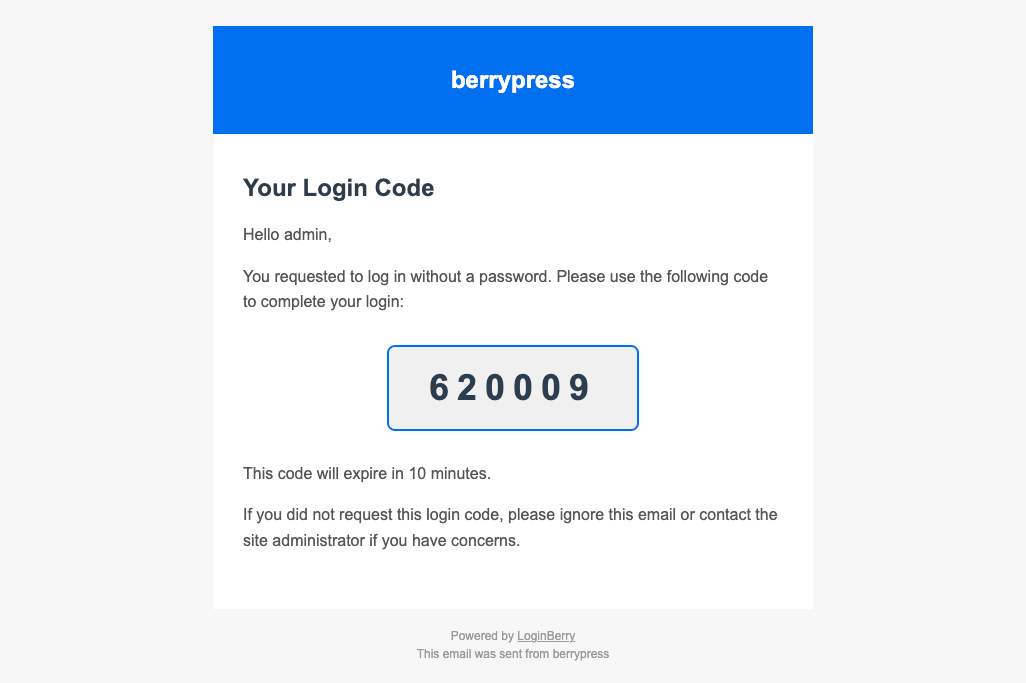
Login codes expire after 10 minutes.
Troubleshooting
- Feature must be enabled in settings and allowed for the user's role.
- On the free plugin, passwordless login only works on
wp-login.php, not the WooCommerce checkout login. - Verify email delivery — see Installation.
See Troubleshooting.
Next Steps
- Two-Factor Authentication - Add an extra verification step
- Login Logs - Track login attempts and last login time
- Troubleshooting - Common issues and solutions