WordPress Forms
BerrySecure → Invisible reCaptcha → WordPress protects the forms that come with WordPress. In the Protected forms row, tick the forms you want and save. All options are off by default.
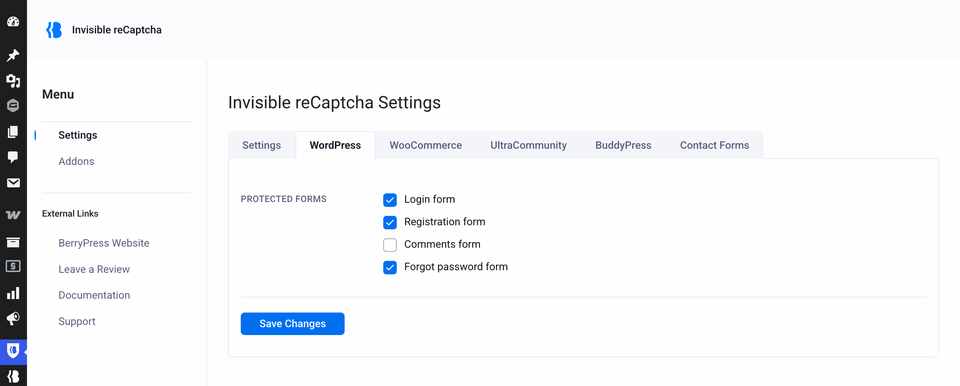
| Setting | Protects | Default |
|---|---|---|
| Login form | The login form on wp-login.php. | Off |
| Registration form | The registration form. On a multisite, also the user signup form. | Off |
| Comments form | The comment form on posts and pages. | Off |
| Forgot password form | The "Lost your password?" form. | Off |
Login
The check applies to the standard WordPress login page and to forms printed with the WordPress function wp_login_form(). Login forms built by other plugins, or by WooCommerce, are not covered by this setting. For WooCommerce, see WooCommerce Forms.
Two-factor login. If you use a two-factor authentication plugin, the second step of the login does not ask Google again. After the first check passes, the plugin gives the browser a short-lived code tied to that user. It is valid for about one to two hours.
Turn on login protection only after the keys are saved and tested. With wrong keys, nobody can log in. See Locked out of the login page.
Comments
- Logged-in users who comment from the WordPress admin are not checked.
- While comment protection is on, pingbacks and trackbacks are blocked with the message Link Notifications are disabled!.
- A comment that fails the check is not saved. The visitor is sent back to the post.
Registration and WooCommerce
If WooCommerce registration protection is also on, the WooCommerce registration form shows a single reCAPTCHA, not two.
What visitors see when a check fails
See How it works.