Contact Form 7 and Gravity Forms
BerrySecure → Invisible reCaptcha → Contact Forms protects forms built with Contact Form 7 and Gravity Forms. In the Protected forms row, tick the plugins you use. You don't edit the forms. The reCAPTCHA is added to every form of the plugin.
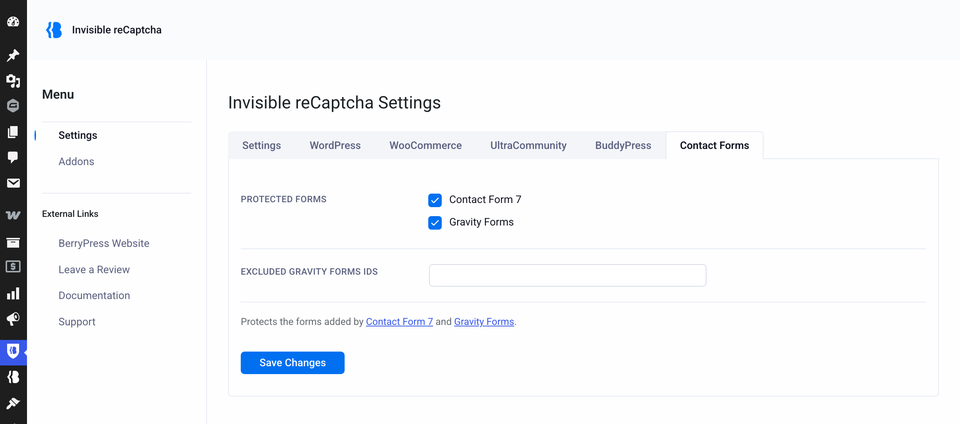
| Setting | What it does | Default |
|---|---|---|
| Contact Form 7 | Protects all Contact Form 7 forms. | Off |
| Gravity Forms | Protects all Gravity Forms. | Off |
| Excluded Gravity Forms IDs | Comma-separated form IDs that should not be protected. | Empty |
Contact Form 7
The reCAPTCHA is placed at the bottom of the form. When the check fails, the submission is treated as spam by Contact Form 7. The message the visitor sees is the one set in your Contact Form 7 form. If another spam filter has already marked the submission as spam, a valid reCAPTCHA does not change that.
Gravity Forms
The reCAPTCHA is placed at the bottom of the form. When the check fails, the entry is marked as spam. Gravity Forms handles it as it handles any spam entry. A valid reCAPTCHA does not remove an existing spam verdict from another filter.
To leave a form unprotected, enter its ID in Excluded Gravity Forms IDs, for example 3, 7. You find the ID in the Gravity Forms form list. Only whole numbers are saved. Anything else is dropped.
Developers can also exclude a form in code. See Filters.
The reason is saved in the entry
When Invisible reCaptcha marks an entry as spam, it adds a note to that entry with the reason. Open Forms → Entries, switch to Spam, open the entry and read the Notes box. The note is from Invisible reCAPTCHA and starts with Marked as spam by Invisible reCAPTCHA. Reason:.
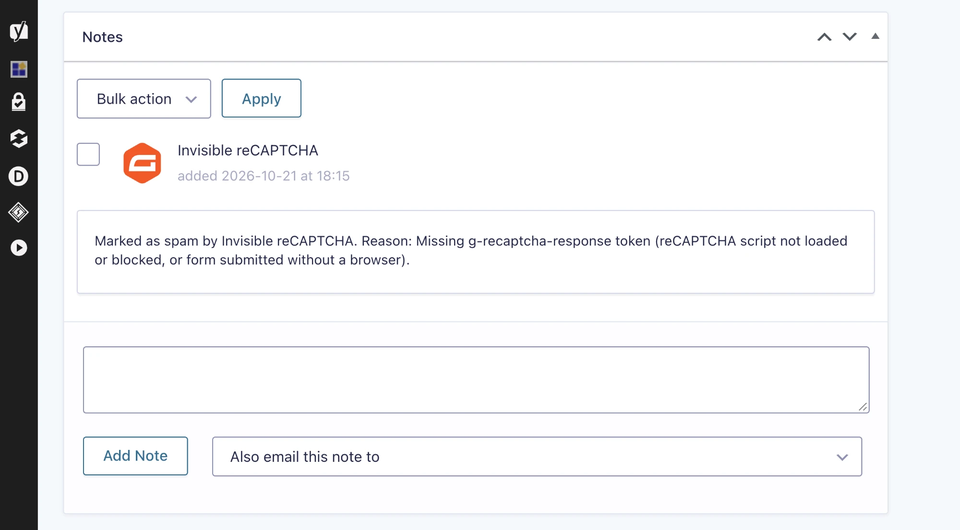
| Reason in the note | What it means | What to check |
|---|---|---|
| Missing g-recaptcha-response token | The form was sent without a token. Google's script did not load or did not run, or a bot posted the form directly. | Cookie notices, cache and security tools |
| Could not reach Google siteverify | Your server could not contact Google. The note includes the error. | Your host's firewall and outgoing requests. |
| Empty or invalid response from Google siteverify | Google answered, but not with a usable result. The note includes the HTTP code. | The same checks as above, then try again later. |
| Google rejected the token | Google refused the token. The note lists Google's error-codes. | Keys don't work |
| Validation forced to fail by the INVISIBLE_RECAPTCHA_OVERRIDE constant | INVISIBLE_RECAPTCHA_OVERRIDE is set to false in wp-config.php. | Filters |