Invisible reCaptcha
- Plugin: WordPress.org · Support forum
- Changelog: WordPress.org
Invisible reCaptcha connects your site to Google's Invisible reCAPTCHA (v2). Visitors don't see a checkbox or an image puzzle. When they submit a protected form, Google checks the request in the background. Real people go straight through. Bots are stopped.
The plugin is free. There is no Pro version.
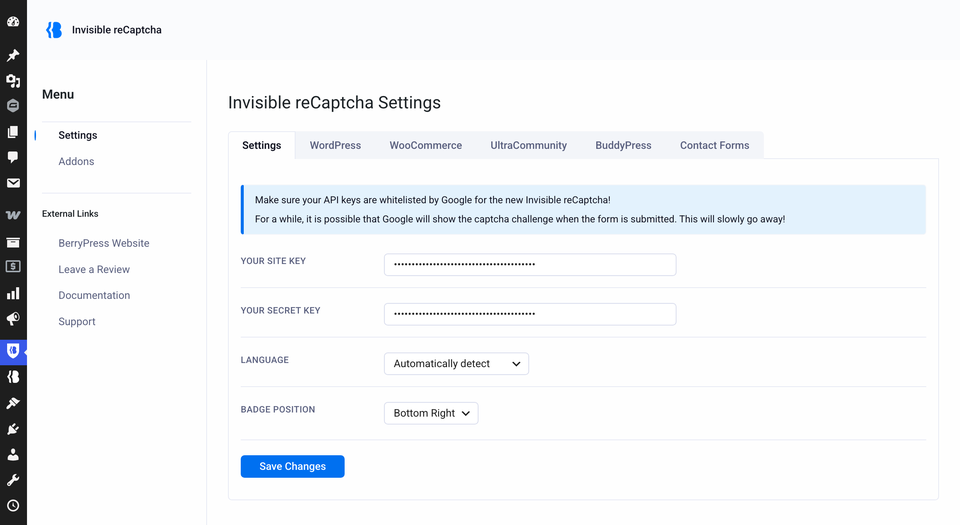
What you can protect
Each form is switched on separately, so you protect only what you need.
| Area | Forms |
|---|---|
| WordPress | Login, registration, comments, forgot password. Details |
| WooCommerce | Login, registration, lost password, reset password, product reviews. Details |
| Contact forms | Contact Form 7 and Gravity Forms. Details |
| Community plugins | BuddyPress registration, Ultra Community login and registration. Details |
| Your own forms | Any other form, with one line of PHP. Custom forms |
How it works in short
- You add a free Site Key and Secret Key from Google.
- You tick the forms to protect.
- When someone submits one of those forms, Google gives the browser a token. Your site sends the token to Google for a check, and only then accepts the form.
More in How it works.
Requirements
| WordPress | 4.5+ |
| PHP | 7.1+ |
| Google reCAPTCHA keys | v2, "Invisible reCAPTCHA badge" type. See Get your Google keys. |
WooCommerce, Contact Form 7, Gravity Forms, BuddyPress and Ultra Community are needed only for the matching protections.
On a multisite network, you can activate the plugin network-wide or on a single site.
Where to start
- Install the plugin.
- Get your Google keys.
- Follow the Quick Start.