How to Add Inline Highlighting to Text
Inline highlighting works in the block editor or by wrapping a span around the text with a CSS class has-inline-text.
Add Inline Highlighting in the Block Editor
Inline highlighting is very simple. Simply highlight some text in the block editor, and select Inline Social Highlight from the More context menu.
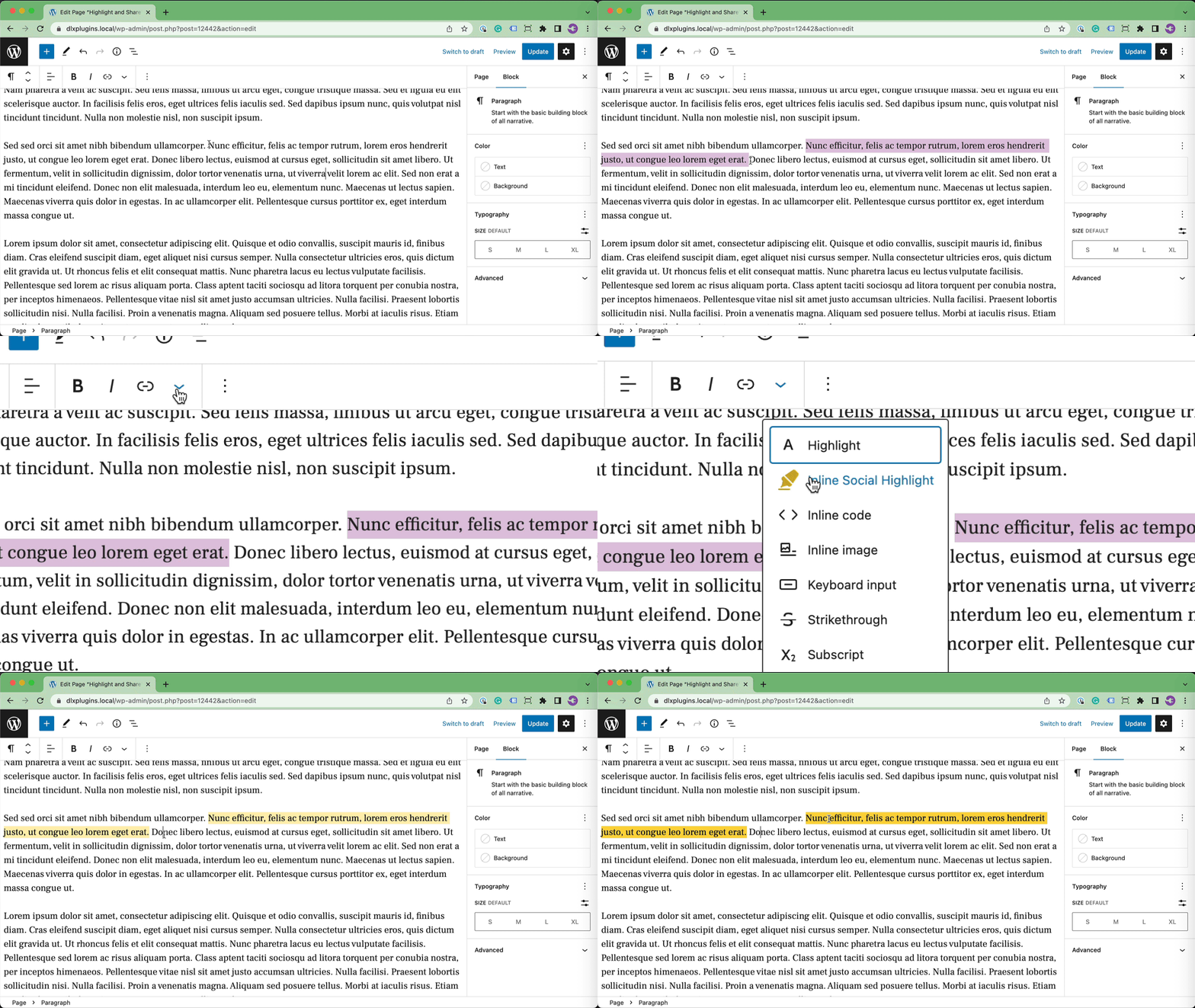
Select Inline Social Highlight to Highlight Text
Adding Inline Highlighting Via Code (HTML Attribute)
If you need to highlight text outside of the block editor, just wrap a span element around the text and give it a class of has-inline-text.
<span class="has-inline-text">Text to Highlight</span>