Configure Inline Highlighting
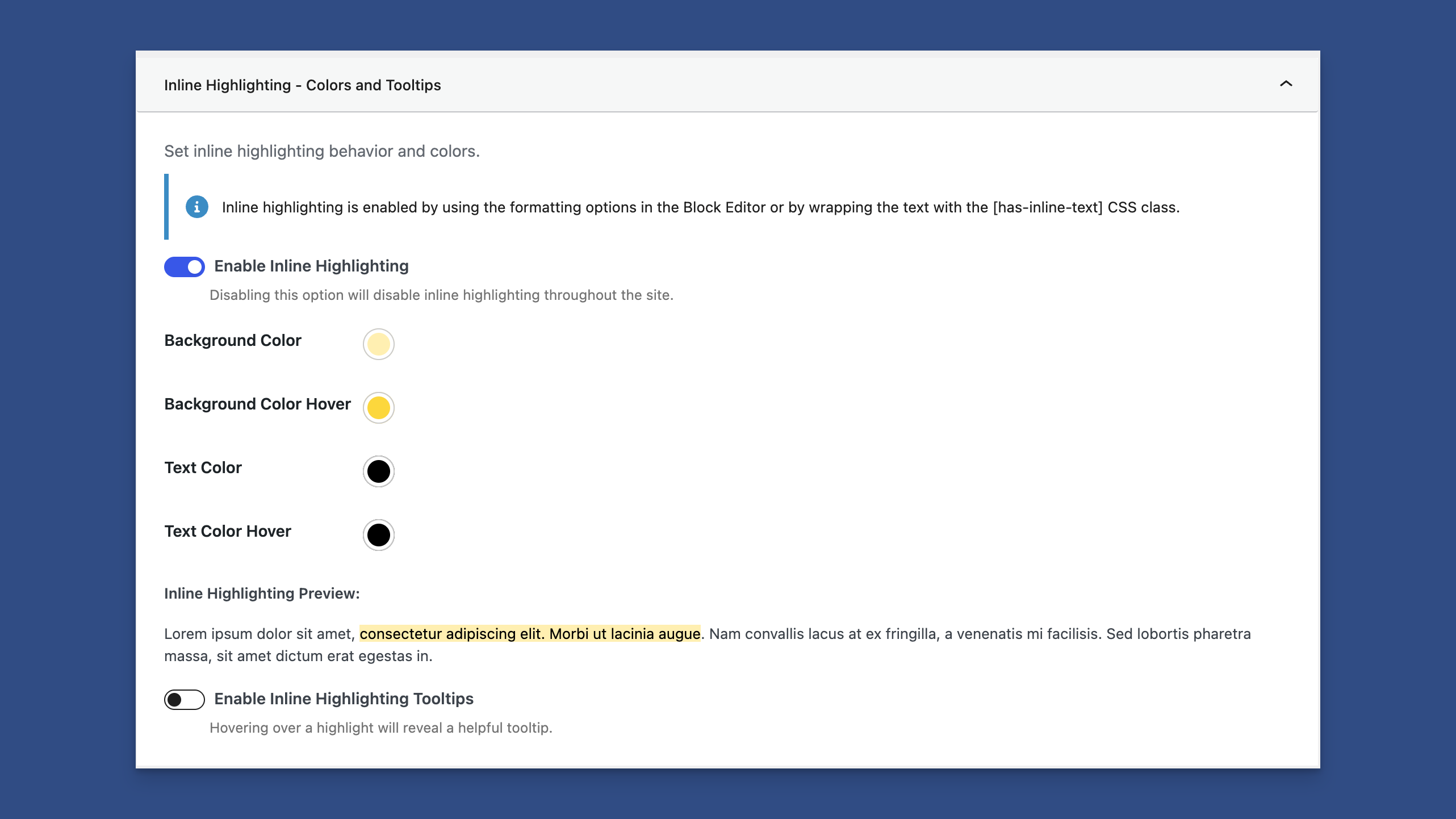
Inline Highlighting in the Content Sharing Tab
You can find the Inline Highlighting panel under the Content Sharing tab in the admin settings.
You're able to:
- Enable or disable inline highlighting.
- Change the highlight's background color and hover background color.
- Change the highlight's text color and hover text color.
- Enable the Inline Highlighting tooltips.
Adjusting the Highlight Colors
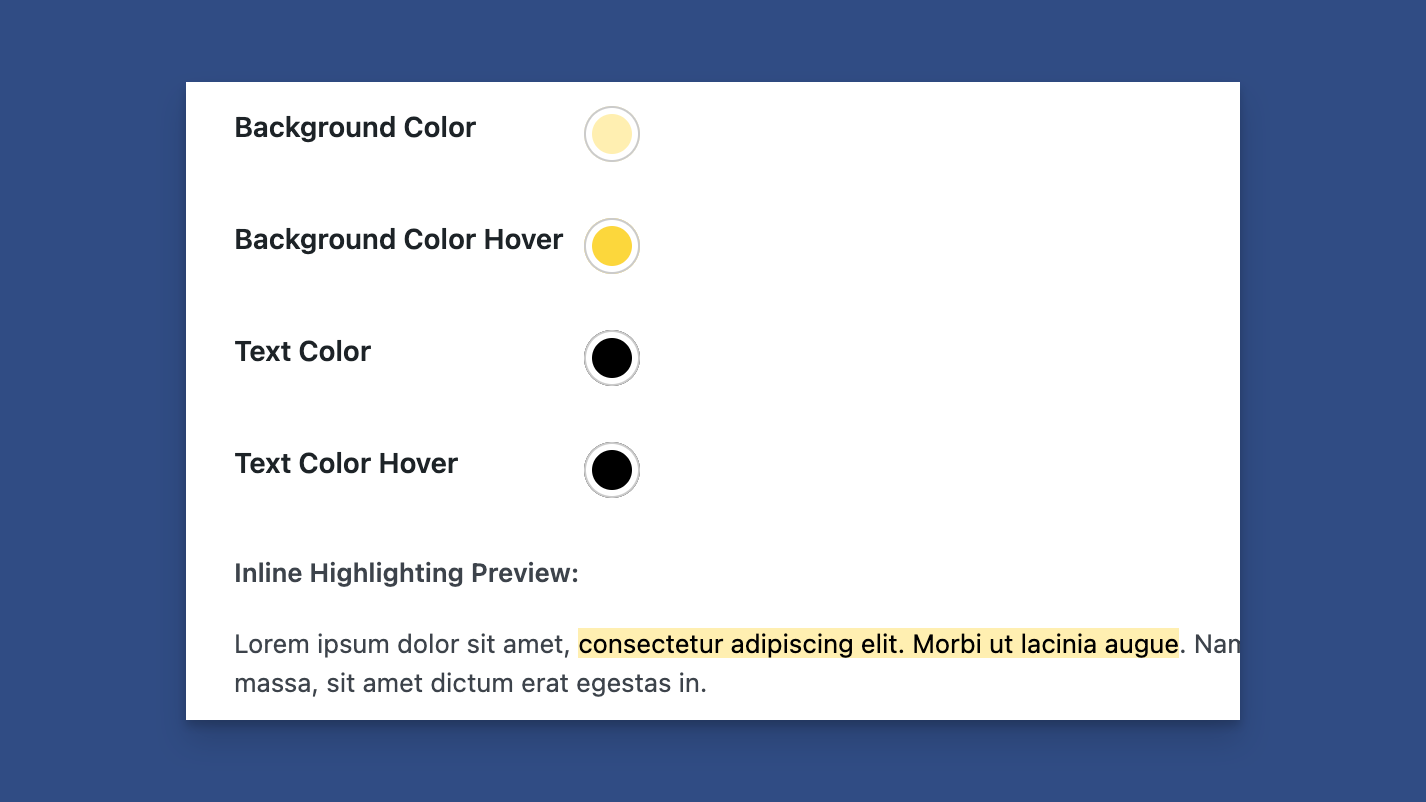
Adjust the Highlight Colors With a Preview Below
You can change the highlight color when highlighting text. You can change the:
- Background color
- Background hover color
- Text color
- Text color on hover
A preview is below the colors, showing how the highlight will look on the frontend.
Showing a Tooltip on Hover
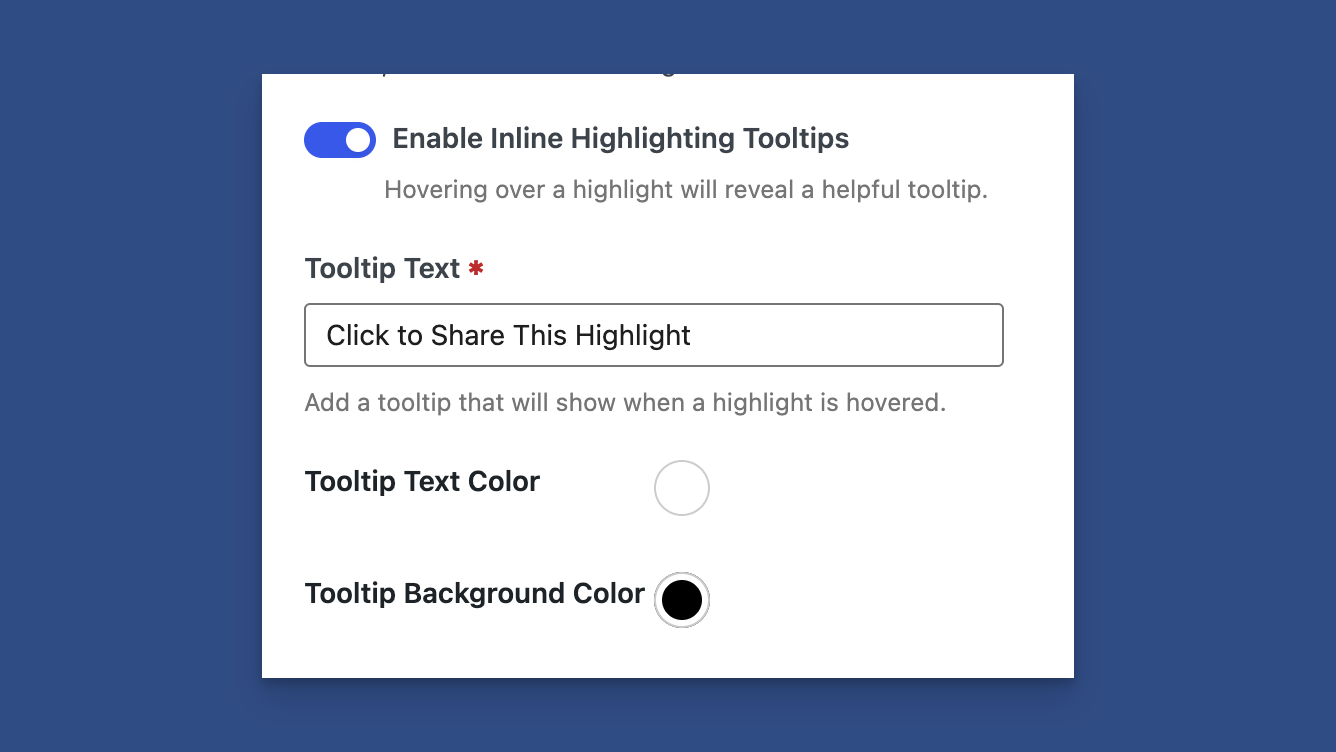
Show Tooltips When Hovering Over a Highlight
You can enable a tooltip for inline highlighting when someone hovers over a highlight. Within this section, you can:
- Change the tooltip text.
- Adjust the tooltip background color.
- Adjust the tooltip text color.
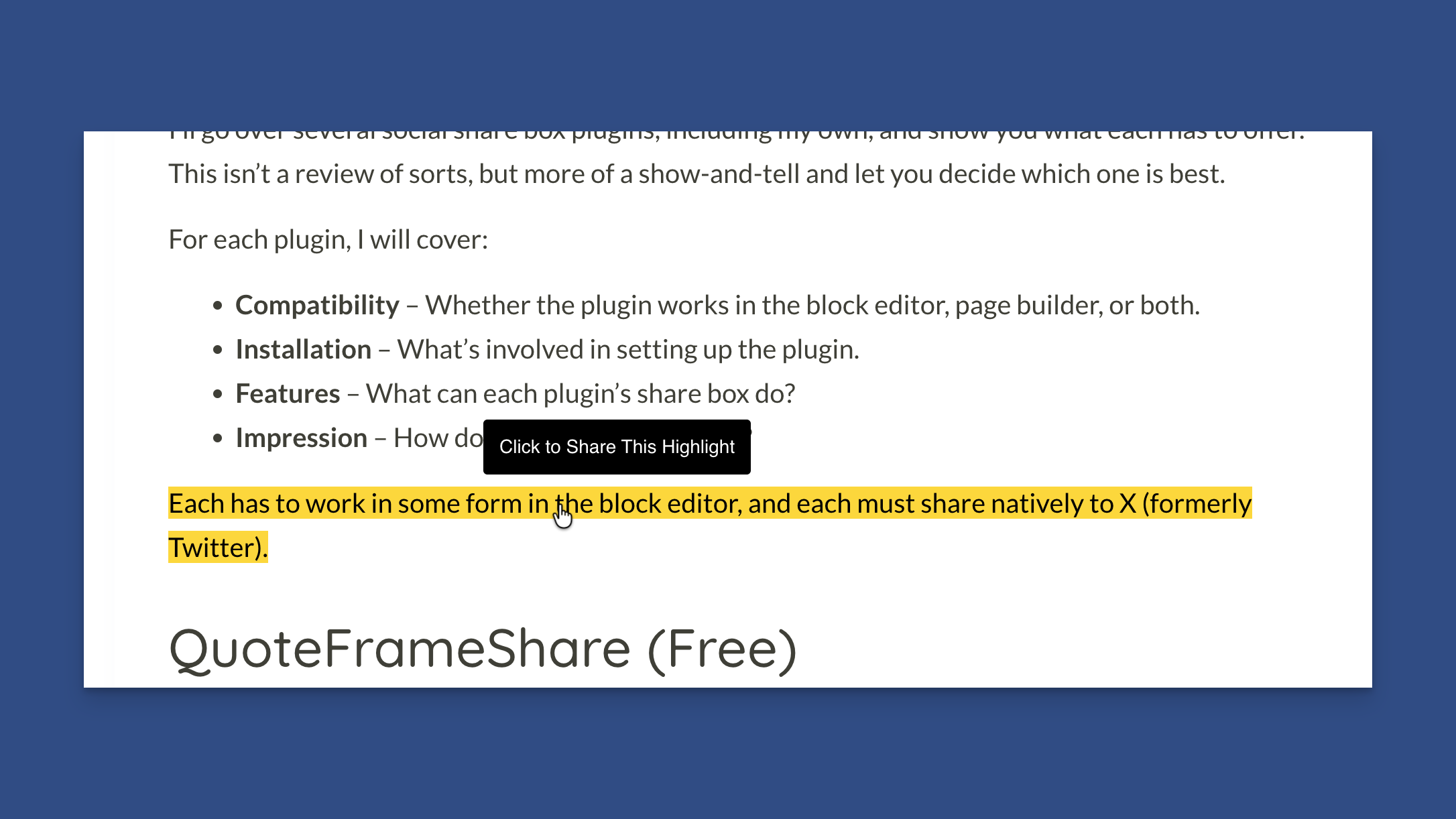
Example Tooltip on an Inline Highlight
As shown in the image above, when hovering over a highlight, a tooltip displays instructions for the user.