If you run a WordPress site with open registration, or a WooCommerce store with customer accounts, you already have a target on your back. Bots register fake accounts, password-only logins are easy to brute force, and customers regularly forget their passwords or get locked out.
LoginBerry was built to fix all of that without forcing you to install three or four separate security plugins. It bundles email-based account verification, two-factor authentication (2FA), passwordless login, and login logs into a single plugin, with each feature independently switchable.
Why Login Security Matters
Modern login security is not just about stronger passwords. It is about verifying that the right person is actually behind the screen, without adding friction for legitimate users.
Fewer fake accounts and less spam
One of the biggest pain points for any open registration site is fake accounts. Bots sign up with disposable email addresses, post spam, and pollute your user base.
Email-based account verification stops most of that automatically. New users have to confirm a six-digit code sent to their inbox before they get access, which means real people get in, and bots usually do not.
Stronger protection against compromised passwords
Even good passwords get leaked. With two-factor authentication on top of the password, a leaked credential alone is not enough to take over an account. LoginBerry sends the second-factor code by email, so users do not need to install an authenticator app or carry a hardware token.
A better experience for your users
Security does not have to mean friction. Passwordless login lets users skip passwords entirely. They enter their username or email and receive a one-time code. Less to remember, fewer reset requests, and the same email-based verification security that powers 2FA.
Why We Built It
LoginBerry started as a small internal tool. We needed proper account verification on our own site – and later on a client site dealing with a wave of spam registrations, but every existing plugin either did just one thing, came with too much bloat, or required premium add-ons for basic features like 2FA.
So we built one plugin that covers the four things most sites actually need: verify the email, add a second factor, allow passwordless login, and keep a log of what is happening. Each feature is independent, each one can be enabled per role, and everything is delivered by email, with no extra apps, no third-party services, and no hidden fees.
Common Use Cases
- Blocking fake or automated registrations on open-signup sites and forums.
- Verifying that a customer or member controls the email address on file.
- Adding a second factor on top of passwords for administrators, editors, or shop managers.
- Letting customers log in without remembering a password.
- Auditing who logged in, from where, and when – for security or compliance.
- Tying WooCommerce customer activation to order creation, optionally only after the order is paid.
How It Works
1. Email-based account verification
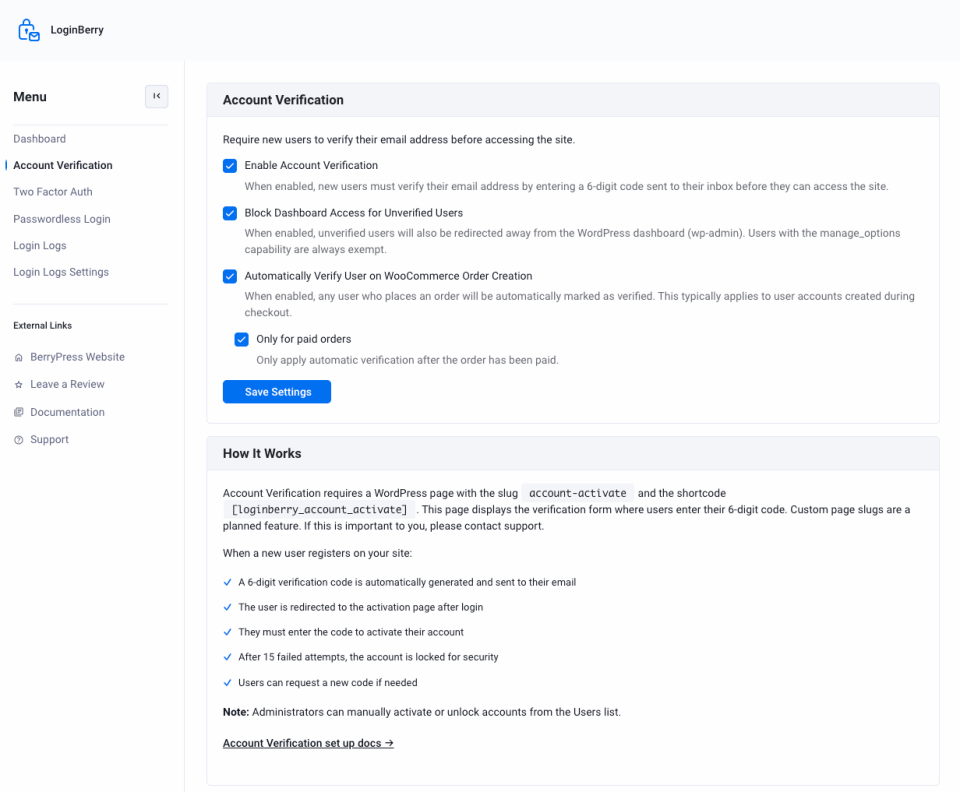
After registration, the user signs in and lands on your activation page, where they enter the six-digit code sent to their email. After fifteen failed attempts, the account is locked until an administrator steps in.
Setting up this page requires one quick step: create a WordPress page with the slug You must be logged in to activate your account.account-activate and add the
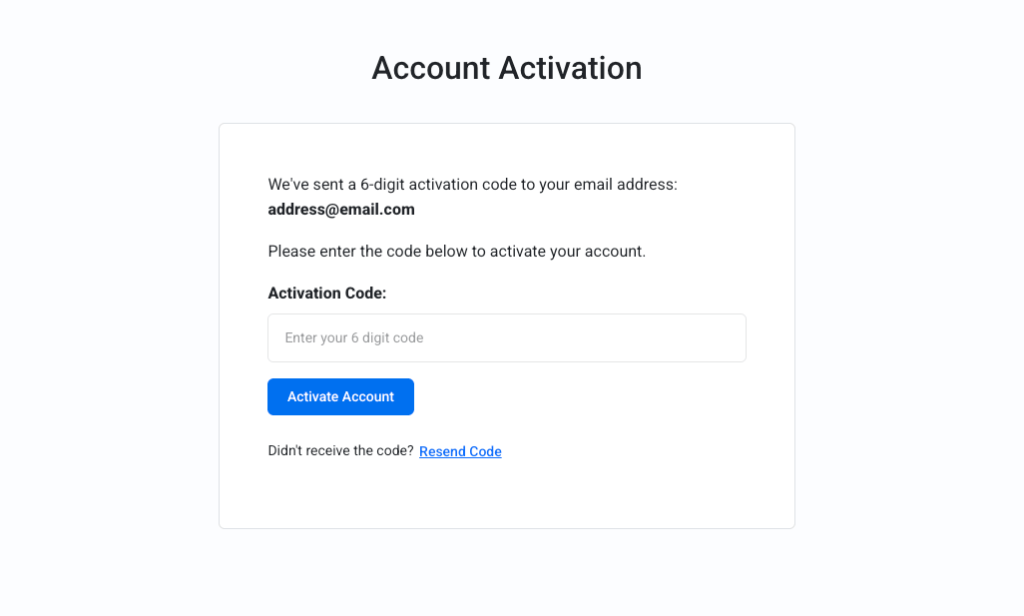
Administrators can resend codes, activate accounts manually, or unlock accounts directly from Users → All Users, so you can always help a real customer who runs into trouble.
2. Two-factor authentication (2FA)
After a successful username and password, users enter a second code sent to their email.
LoginBerry supports three security levels:
- Disabled: the role does not use 2FA.
- Optional: users can enable it themselves from their profile.
- Required: 2FA is mandatory and can’t be turned off.
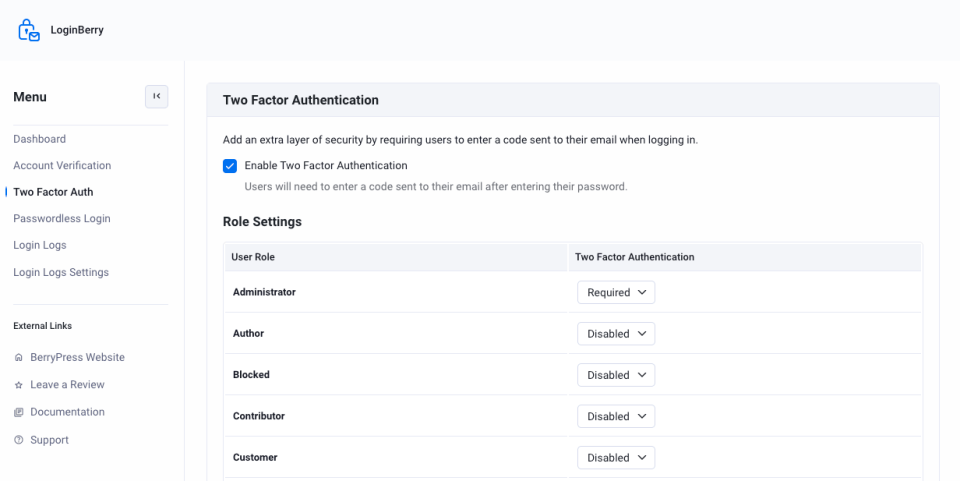
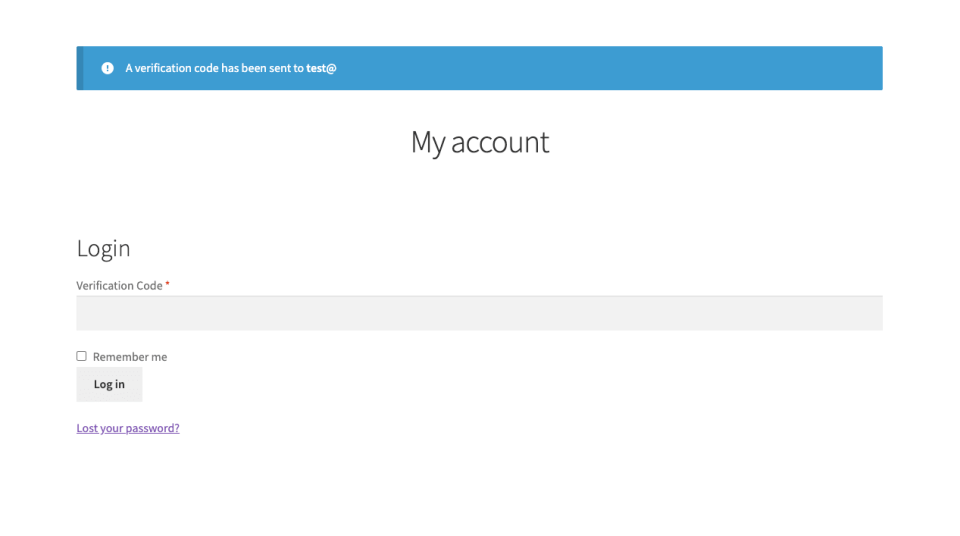
2FA works on both wp-login.php and the WooCommerce My Account login form, so the same protection covers your back office and your storefront.
3. Passwordless login
When passwordless login is enabled for a role, users on wp-login.php can skip the password field entirely and request a six-digit login code by email instead. Fewer forgotten passwords, fewer reset emails, and one less thing for your users to manage.
When both passwordless login and 2FA are enabled for the same role, the extra 2FA step is skipped automatically, because possession of the email inbox has already been verified.
4. Login logs
Every successful and failed login is recorded with the username, email, IP address, user agent, timestamp, success or failure status, and any error message. Logs are listed on a dedicated admin page with sortable columns, so you can spot brute-force patterns, audit suspicious activity, and have an answer ready when someone asks, “Who logged in last Tuesday?”
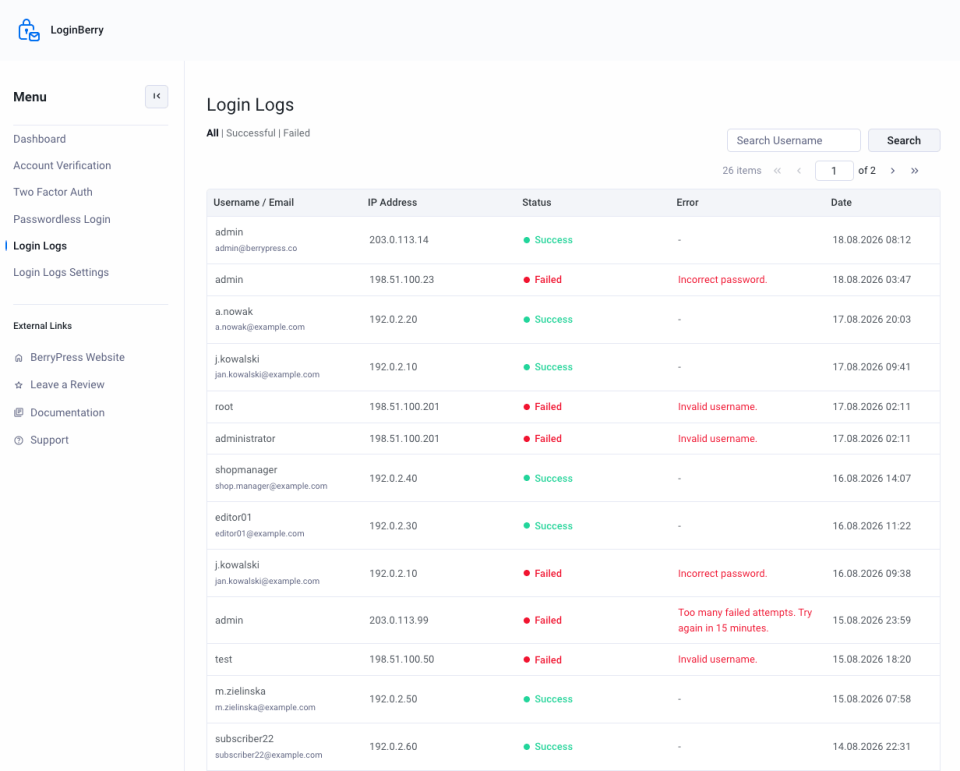
If your site sits behind a proxy like Cloudflare, you can also specify which HTTP header to use for the visitor’s real IP address.
WooCommerce Integration
LoginBerry works on standard WordPress sites, but if you run WooCommerce, it adds a few extras:
- Two-factor authentication on the My Account login form.
- Optional automatic account activation when an order is created.
- Optional restriction so that only paid orders trigger activation.
- Compatibility with classic checkout, block checkout (Store API), and paid-order completion hooks.
This is especially useful for stores where you want a frictionless first purchase. The customer checks out as a guest or new user, and the account is automatically activated once payment is confirmed.
Flexible and Developer-Friendly
LoginBerry ships with clean WordPress markup and HTML email templates for activation, 2FA, and passwordless login. Advanced users can override templates by copying files from the plugin’s templates/ directory into their theme under templates/loginberry/.
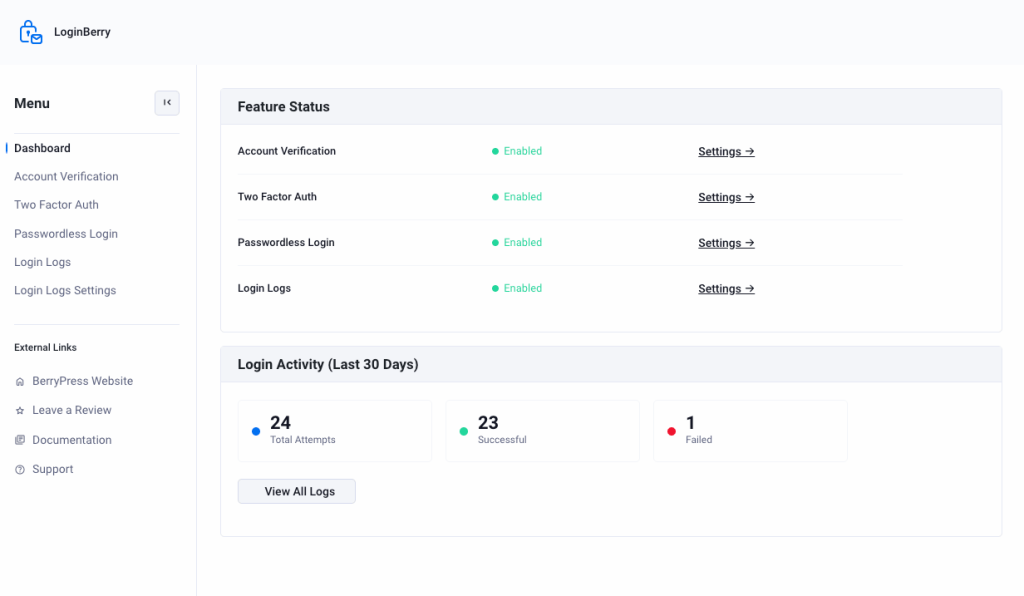
All settings live under BerryPress → LoginBerry, with a clear dashboard and separate settings screens for each feature. Every feature stays completely optional. Just disable anything you do not need.
Who Is This For?
LoginBerry works well across a wide range of WordPress and WooCommerce setups:
- Membership and community sites – stop fake registrations before they reach your forum or LMS.
- WooCommerce stores – tie customer activation to a real order, with paid-order-only mode for higher-trust workflows.
- Multi-author blogs and agencies – require 2FA for administrators and editors, leave subscribers alone.
- Sites with a non-technical user base – use passwordless login to remove the password reset cycle.
- Compliance-conscious projects – keep an audit trail of every login attempt.
What’s Next for LoginBerry
LoginBerry is a brand new plugin, and we are improving it quickly based on real user feedback. On the roadmap: social login, configurable lockout limits, and last login tracking.
If you have ideas, feature requests, or run into a theme-specific styling issue, we would love to hear from you. New features are prioritized based on user feedback.
Get Started
With LoginBerry, you can verify new accounts, add 2FA where it matters, let users log in without passwords, and keep a clear record of who is signing in, all from one lightweight plugin with everything delivered by email.
Download LoginBerry on WordPress.org
Read the LoginBerry documentation
We would love to hear how you are using LoginBerry on your site. Which features matter most to you, and what is still missing for your ideal login flow? Join the BerryPress community on Facebook to share ideas or subscribe to the newsletter for plugin updates and new tutorials straight to your inbox.