We’ve all been there. You’ve got a fresh WooCommerce install, a staging environment after a database reset, or a store you’re setting up to demo a new plugin or theme. Everything looks great until the moment you try to run a report or check how an order email renders. Nothing works because there are no orders.
The usual workaround is to spend an hour manually clicking through the checkout with different products, addresses, and statuses, hoping you end up with something realistic enough to be useful. It’s slow, the data can be thin, and you know you’ll have to do it all over again when you reset the database.
This is where Generate Random Orders For WooCommerce comes in. This small, free plugin populates your store with hundreds of realistic test orders in a matter of seconds — varied dates, products, statuses, shipping methods, refunds, and more. Here’s how it works.
Getting Started
Installation is as straightforward as it gets.
- Install and activate Generate Random Orders For WooCommerce from your WordPress admin (Plugins → Add New).
- Once activated, go to WooCommerce → Random Orders.
- Enter the number of orders you want to generate.
- Click Generate.
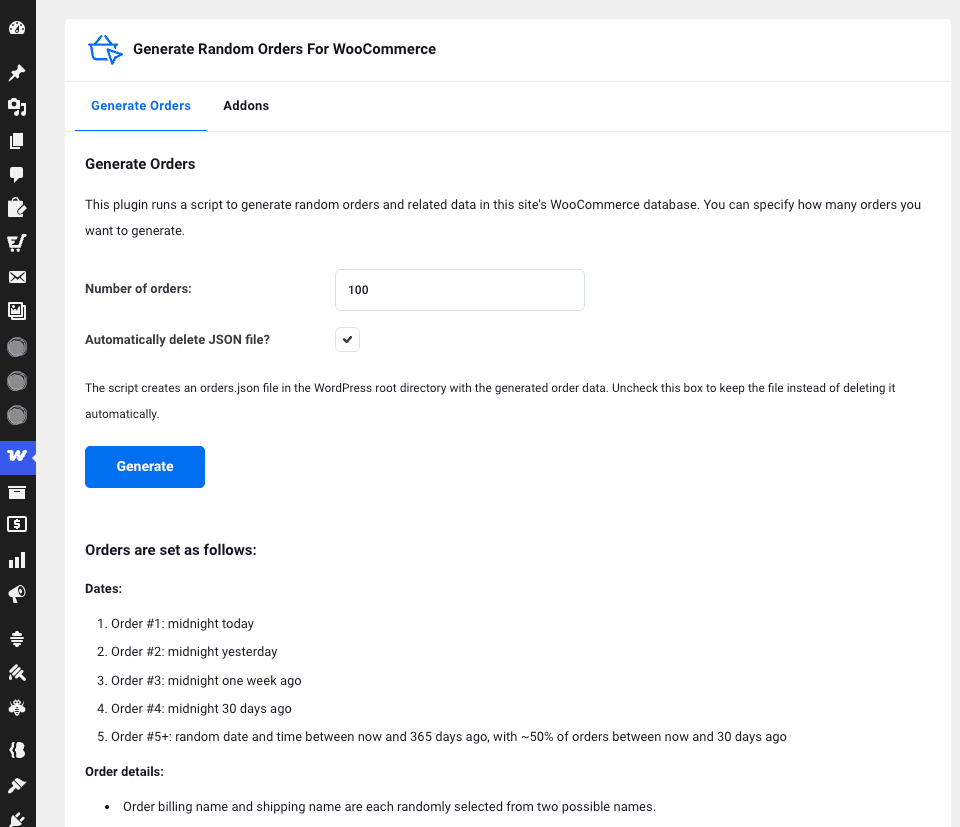
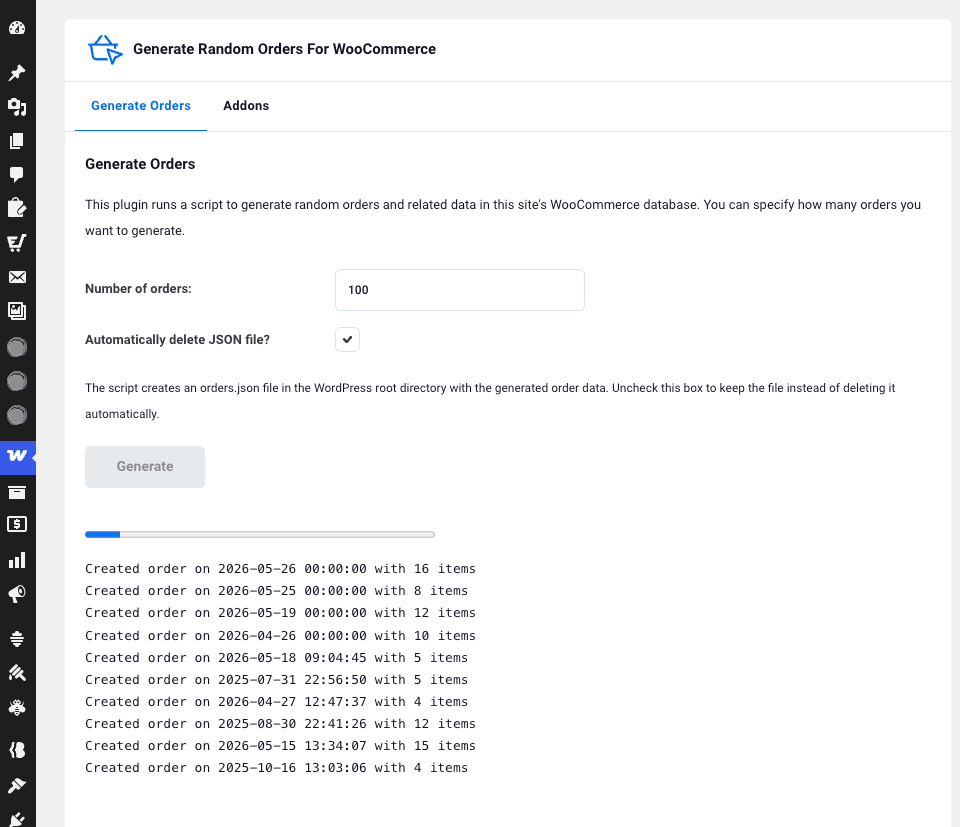
That is it. The plugin generates hundreds or even thousands of orders in the background via AJAX so you can watch the progress in real time in the log below the button. Say goodbye to page reloads and waiting around.
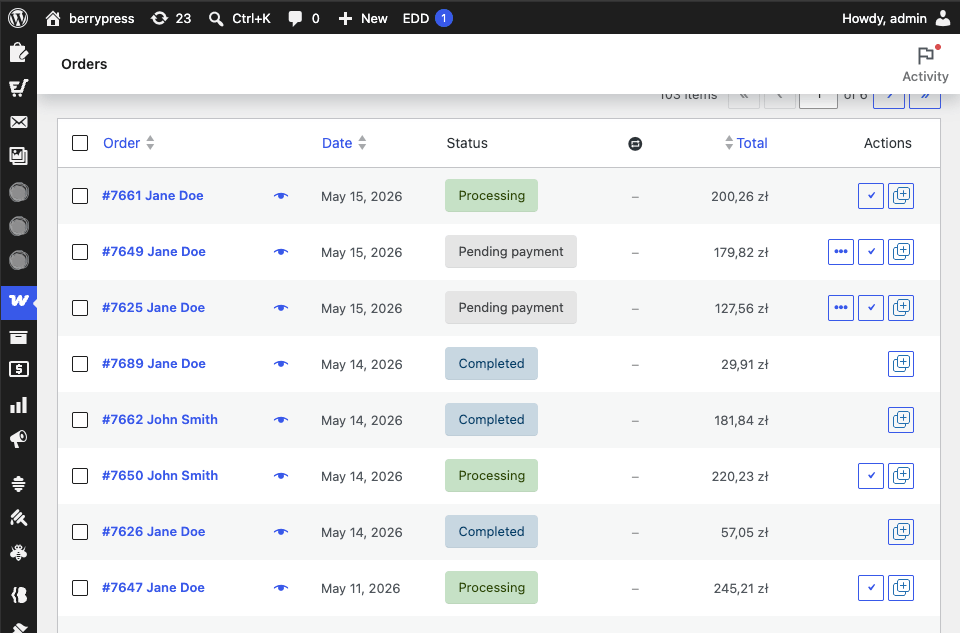
Once complete, all orders are visible under WooCommerce → Orders, fully populated with line items, customer details, shipping, taxes, and statuses, with some even featuring refunds. It looks just like a real store, because for testing purposes, it is.
What The Orders Actually Look Like
Dates
The date distribution is deliberate. The first four orders are anchored to specific points:
- Order #1 is dated midnight today
- Order #2 is midnight yesterday
- Order #3 was one week ago
- Order #4 was 30 days ago
Everything from order #5 onwards is spread randomly across the past 365 days, with roughly half falling within the last 30 days.
The moment the generation finishes, your “today”, “yesterday”, “last 7 days”, “last 30 days”, and “last year” date-range filters all return data straight away, allowing you to immediately exercise dashboard widgets, analytics screens, and more.
Products, Statuses, and Refunds
Line items are randomised mixes of 1 to 5 products per order, drawn from your existing catalogue. The plugin leans toward simple products (around 67%) over variable products (around 33%), which reflects a typical store distribution.
Order statuses also follow a realistic spread with roughly 14% pending, 29% processing, and 57% completed. About 20% of orders include a line-item refund dated a few days after the original order, including the corresponding shipping refund. This means your refund reports and net revenue figures actually show something instead of zero.
Shipping alternates between flat-rate (around 75%) and local pickup (around 25%), with random shipping amounts ranging from 5 to 20.
Coupons are applied to about a third of orders (using the 50OFF coupon code), ensuring coupon usage reports are populated.
Customer data uses two predefined billing/shipping addresses (one US, one Canadian), two predefined names, two predefined user IDs, and random 10-digit phone numbers. This provides enough variety to test grouping by country, customer, or address without exposing real PII anywhere.
Custom meta fields (wpz_custom_meta_1 or wpz_custom_meta_2) are added to all orders, so you can test plugins or reports that depend on order meta.
Where This Saves Time
A WooCommerce store with no orders looks broken. Reports show empty charts. Analytics screens display “no data”. Date pickers have nothing to filter. Any plugin that depends on order data (dashboards, exporters, reporting tools, accounting integrations) is effectively untestable.
- Testing reporting plugins — sales reports, conversion reports, gateway reconciliation, tax reports. None of them can be tested on an empty store.
- Building or demoing dashboards and themes — designers and developers need to see how widgets, tables, and order emails render with data in them.
- Performance testing — you need to know how the orders list or the database performs with hundreds or thousands of rows, not three. Generate a few thousand and find out.
- Client demos and screencasts — a populated store looks professional. An empty one does not.
- Onboarding new team members — give your support or fulfilment team something to safely click through that looks and behaves like real customer data.
- Local and CI environments — reset the database, generate fresh orders, run your tests. Repeatable in seconds, every time.
- Plugin compatibility testing — verify that a new plugin behaves correctly with refunded orders, pending orders, multi-item orders, and coupon-discounted orders — not just the one happy-path order you placed manually.
Every one of those tasks gets faster (sometimes by an order of magnitude) when you can populate a store in a few clicks instead of an afternoon of checkout simulations.
Technical Details
The plugin works on any WooCommerce store with at least a few products configured (simple and variable). The richer your catalogue and shipping setup, the more realistic the generated data — but the plugin works with whatever you have.
- Batched AJAX generation means you can generate hundreds or thousands of orders without hitting PHP timeout limits. Progress is reported live in the admin.
- Optional JSON seed file — drop an
orders.jsonfile at the WordPress root to override the defaults and generate orders with your own predefined customer names, user IDs, addresses, taxes, and product distributions. This is useful for reproducible demo environments where you want the exact same dataset every time. - No settings to configure — install, generate, and you’re done. Simply uninstall when you no longer need it.
- Safe by default — only users with
manage_woocommercecan access the page, and every generation request uses a WordPress nonce.
Important: this plugin is intended for development, staging, and demo stores. The orders it creates are indistinguishable from real ones once written to the database, and they will appear in your real reports, emails, and integrations. Do not run it on a live production store unless you know exactly what you are doing and how to clean up afterwards.
 Important: this plugin is intended for development, staging, and demo stores. The orders it creates are indistinguishable from real ones once written to the database, and they will appear in your real reports, emails, and integrations. Do not run it on a live production store unless you know exactly what you are doing and how to clean up afterwards.
Try it With Ninjalytics
Generate Random Orders for WooCommerce was created by BerryPress to support testing and demos of Ninjalytics, our WooCommerce reporting plugin.
Install both, generate test orders, and explore what WooCommerce analytics can look like without needing a live store full of real data.
Get the Plugin
Generate Random Orders For WooCommerce is free and available on WordPress.org.
See all BerryPress WooCommerce Plugins
Stay Updated
Working with WooCommerce development and testing? Join the BerryPress community on Facebook to share ideas and stay up to date.
Subscribe to the newsletter for plugin updates straight to your inbox.