I get it – change can be annoying. We’ve all been at the receiving end of a software update we didn’t ask for, scratching our heads and asking “why would they change that?” or “where did they move that feature to now?” Interface changes introduce a learning curve, slow down familiar tasks, and turn quick actions into fishing expeditions.
But when there is a choice to make a change, the benefits need to be much greater than the investment of time needed to make the switch. In this post, I’m making the case for why Product Sales Report users should take the plunge and migrate to Ninjalytics for their WooCommerce reports. Let’s see if I can convince you.
I’m writing this with the premium version of Ninjalytics in mind, but many of these features are available in the free version on WordPress.org too. If you were previously on the free version of Product Sales Report, you’ll find that Ninjalytics Free has a hugely expanded feature set – including many capabilities previously found only in Product Sales Report Pro. And if you use Export Order Items, this post applies to you too – see point #3.
1. Live report previews, no need to download
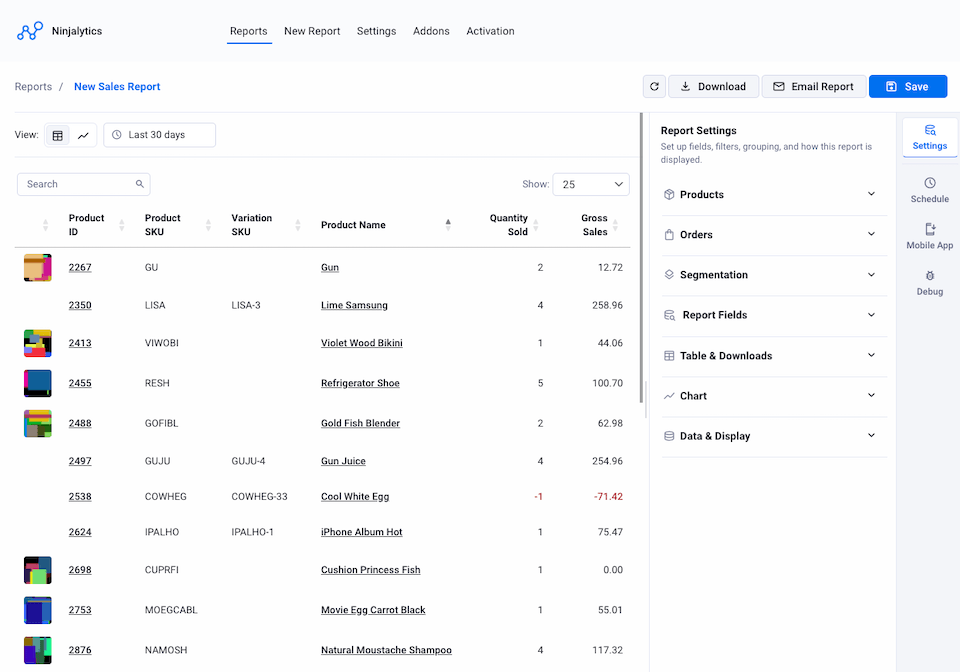
With Product Sales Report, you don’t see results until you click a button to run the report – at which point it opens in a new tab or downloads for viewing in your spreadsheet software. Ninjalytics shows your report live in the browser, with automatic updates as you change settings or date ranges. You can interact with the table directly: click a column heading to change sort order, drag columns to reorder fields. And if you use a non-HTML format like XLSX for downloads, there’s no need to switch to HTML just to preview – leave your download format set and preview is always there.
2. Charts built right in
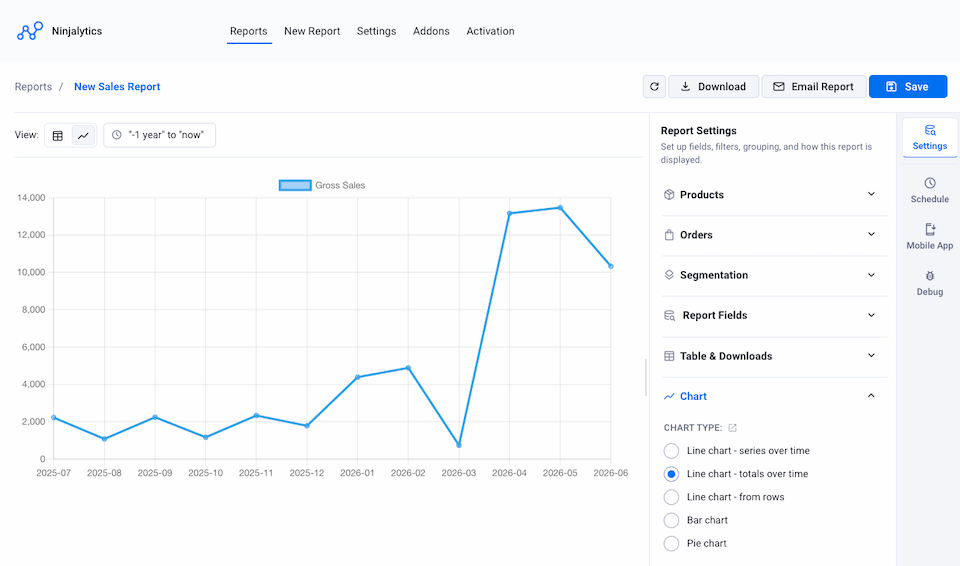
No more downloading a spreadsheet just to visualize your data in a separate tool. Ninjalytics has a chart mode where you can view dynamic charts right inside the plugin, with the same live update capabilities as the table view. Five chart modes let you create line, bar, and pie charts to suit your reporting needs.
3. Replaces two plugins at once
One of the reasons we built Ninjalytics was to bring Product Sales Report and Export Order Items together into a single analytics tool. Many users ended up needing both plugins – and there was often confusion about which one was right for a given task. Ninjalytics does everything both plugins do, and more, eliminating the need to install and maintain two separate plugins or figure out which one to reach for.
4. A modern UI that’s actually easy to use
Despite a facelift or two along the way, Product Sales Report’s interface clearly shows its origins from over a decade ago. We fully redesigned the UI and UX in Ninjalytics – it looks better and is easier to use. Less commonly used settings have been moved into an Advanced section so they don’t clutter the main view.
5. Mobile app and dashboard widgets
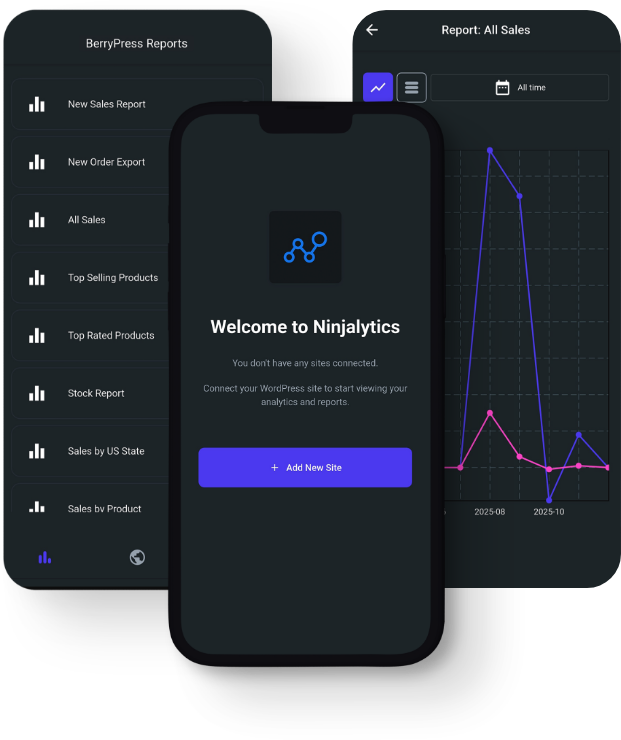
Data is most useful when it’s easily accessible. Ninjalytics Pro supports a mobile app for Android and iOS – view chart and table reports on the go without logging into your WordPress admin each time. Android users can also show automatically updated key metrics as home screen widgets without even opening the app. You can also pin reports as WordPress dashboard widgets to get a quick overview directly in the admin.
You can install the Ninjalytics Android app from here: Download on Google Play or iOS version from here: Download on Apple Store.
6. Custom calculated fields and formulas
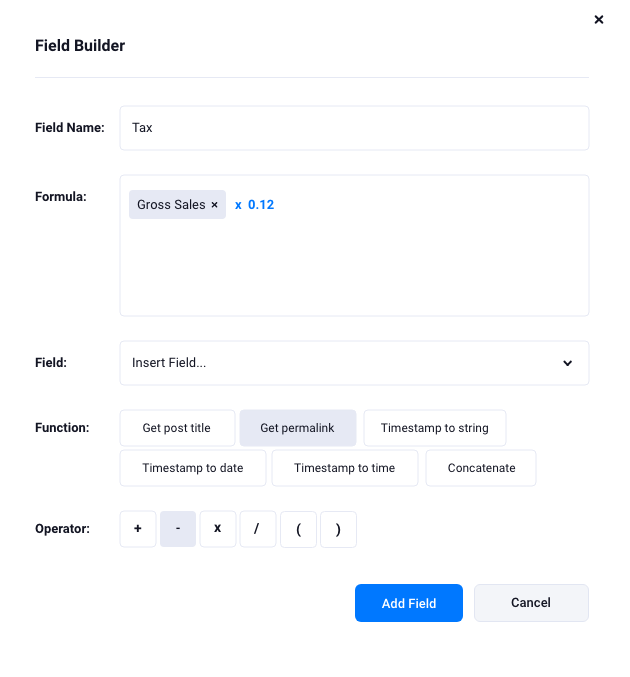
Ninjalytics Pro includes a field builder for custom calculated fields. Define formulas to answer the questions you’re asking without editing reports after generation. Include report data, fields not in the report, static values, and built-in functions in your formulas.
7. Report templates to skip the setup
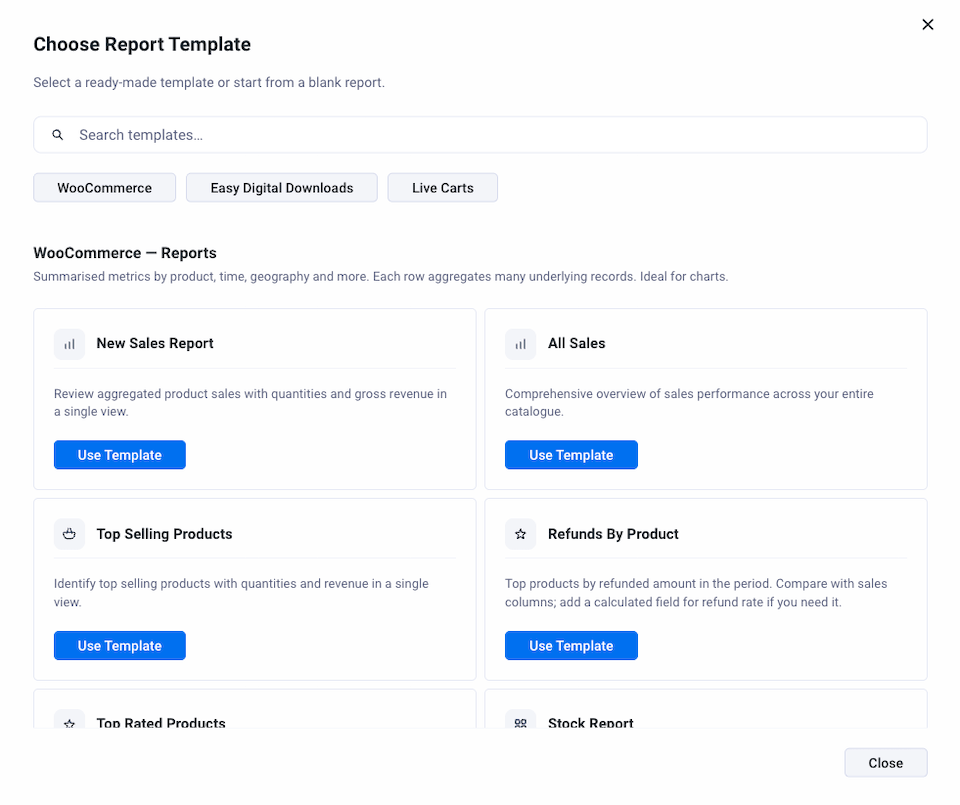
With a lot of flexibility comes a lot of settings. Ninjalytics makes it easier to get started with built-in report templates you can run as-is or customize to suit your needs. A useful starting point when you’re setting up a new reporting objective.
8. Filter by delivery date, payment date, and more
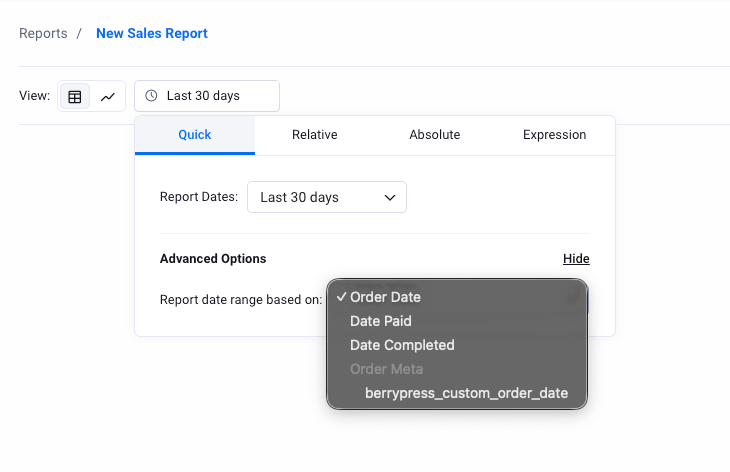
Ninjalytics gives you four date range modes (quick, basic, relative, and absolute), and you can also apply the date range to the order’s payment date, completion date, or a date from a custom meta field – instead of just the creation time. Useful for stores that offer local pickup or delivery and want to report by pickup or delivery date, for example.
9. Now supports Easy Digital Downloads too
We designed the Ninjalytics reporting engine to be friendly to integrations beyond WooCommerce. That allowed us to add support for Easy Digital Downloads alongside WooCommerce – expanding the user community and welcoming store owners from a different corner of the WordPress ecosystem. If you know any EDD store operators, point them this way.
10. Where all new features are going
Ninjalytics is where active development is happening. While we plan to continue supporting Product Sales Report Pro for the near future, new features and improvements will be going into Ninjalytics going forward. Staying on Product Sales Report means missing out on what’s coming next.
11. Your existing report settings migrate automatically
Limiting Ninjalytics to 10 reasons turned out to be harder than expected. We’ve built automatic migration of your Product Sales Report and Export Order Items report settings directly into Ninjalytics. Install the plugin, and pick up right where you left off.
And a few more things worth mentioning
- Dashboard widgets – pin any report directly to the WordPress dashboard so your key metrics are visible the moment you log in, without opening the plugin.
- Product images in reports – add a product image column to your report preview for a more visual, at-a-glance view of your data.
- More report fields – Ninjalytics gives you a significantly wider selection of fields to include in your reports compared to Product Sales Report.
- Better debugging tools
Ready to switch?
If you have an active Product Sales Report Pro license, there’s a discount waiting for you in your BerryPress account under My Account → Licenses.
- Purchased within the last 30 days? You’ll find a 90% off coupon for your first year of Ninjalytics Pro – so you can try both plugins side by side while your current license is still active, and make the switch at your own pace.
- Purchased more than 30 days ago? You’ll find a 60% off coupon for your first year of Ninjalytics Pro, also waiting in your account automatically.
No need to contact support – just log in and the coupon is there.
If you purchased Product Sales Report Pro through WP Zone, make sure to create a BerryPress account using the same email address you used for your WP Zone order. Your license will appear in My Account automatically, along with any discount coupons you’re eligible for.
Not ready to commit yet? Start with the free version of Ninjalytics on WordPress.org to give it a test drive first.
Questions about Ninjalytics? Drop them in the comments below or reach out to our support team – we’re happy to help.
Working with WooCommerce and want to stay up to date? Join the BerryPress community on Facebook or subscribe to the newsletter for plugin updates and new tutorials straight to your inbox.