
Product Sales Report Pro
CHOOSE A PLAN
Free
- Access to free features
- Access to product updates and improvements
- Standard support
Single Site
- Access to all premium features
- Use on 1 website
- 1 year of updates
- 1 year customer support
- Priority support
- Cancel subscription anytime
Unlimited Sites
- Access to all premium features
- Use on unlimited websites
- 1 year of updates
- 1 year customer support
- Priority support
- Cancel subscription anytime
Product Sales Report Pro for WooCommerce
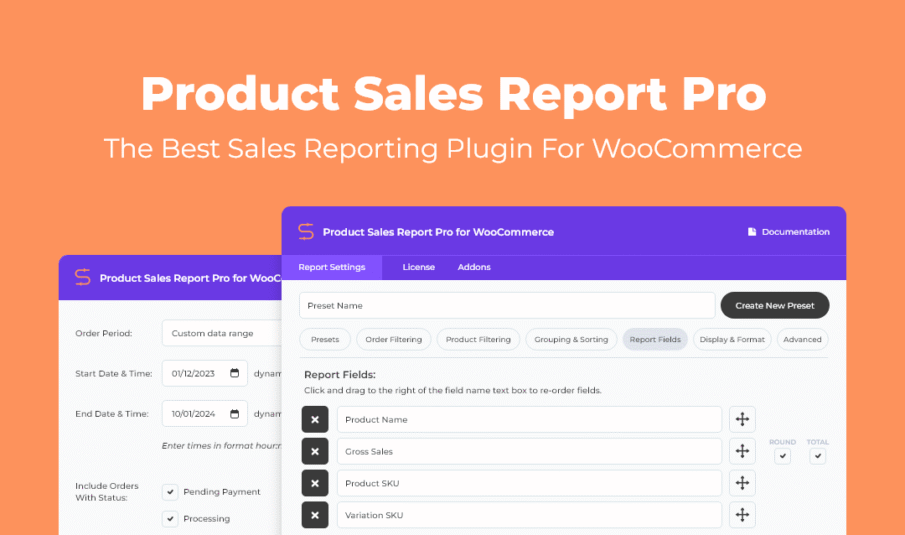
Quickly build effective sales reports for your WooCommerce store. Get the metrics you need for better planning and smart decision making. Setup an unlimited number of reports, save them as templates, and access them with a click. Good reporting is essential for monitoring product sales performance, planning effective sales strategies, better sales forecasting, accurate accounting, inventory management, and maintaining or reducing your sales cycle.
Reporting Features and Benefits
- One-click generate and share – download your reports with a click or send them as an email to anyone
- Create presets – save your custom report settings and generate up-to-date reports faster
- Date range filtering – with presets or custom start and end dates
- Order status filtering – include or exclude pending payment, processing, on hold, completed, cancelled, refunded, and failed orders
- For specific user roles – including WordPress built-in roles, roles added by WooCommerce, and custom roles
- Orders from customers with a specific field
- Include specific products – based on product category, product ID, tags, and/or meta fields
- Grouping – bring additional reporting segments into the mix
- Sorting – choose the field you want the report sorted by and the order that it will display in
- Set fields to include – add, remove, and drag and drop ordering
- Format your report – title with dynamic fields, include a header and totals row, and file format options
- Advanced styling – style your HTML reports with custom CSS
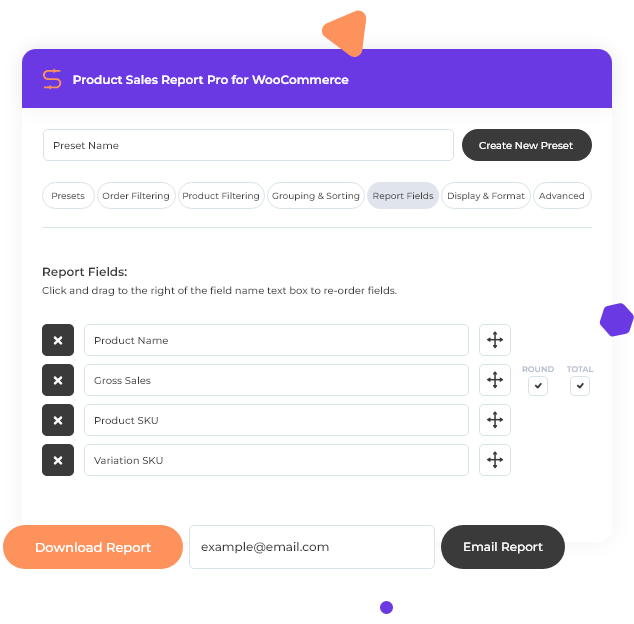
Download and Share with a Click
After using the report builder to quickly create a custom report, click “Download Report” and your report will be generated and downloaded. Or send your report to any email address: enter the email address and click Email Report.
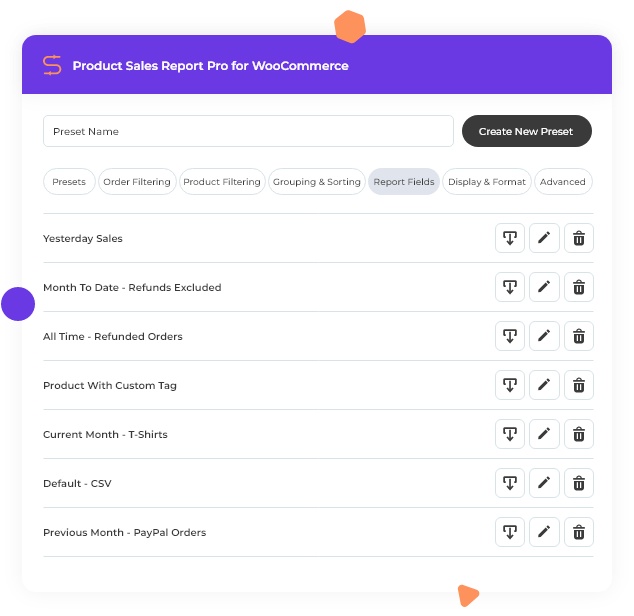
Create and Share Report Presets
Setup your reports once and use them again and again. After you build your report, save it as a preset that can be used for comparative growth analysis and other sales trend insights.
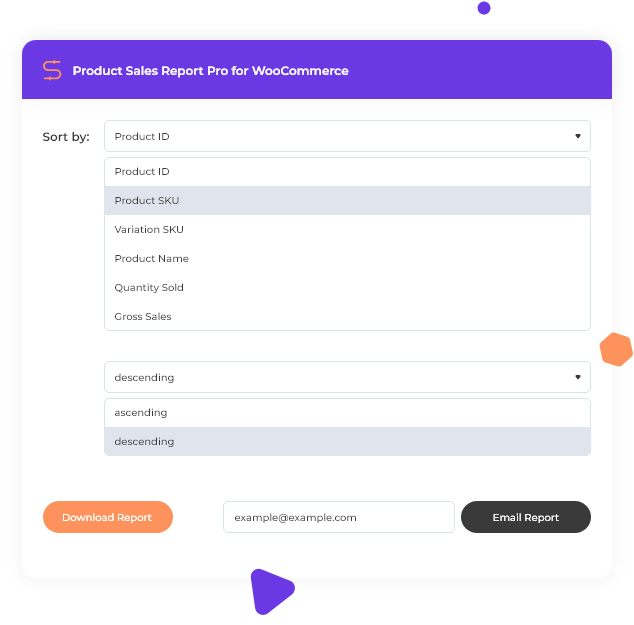
Granular Sorting For Zeroing In On What’s Important
Product Sales Reports gives you granular control and powerful sorting options. See what products are performing best based on quantity or gross sales to help refine your online sales strategy. Sort by date range, order status, item, tags, category, fields, user type, grouping, SKU… you name it, we added it.
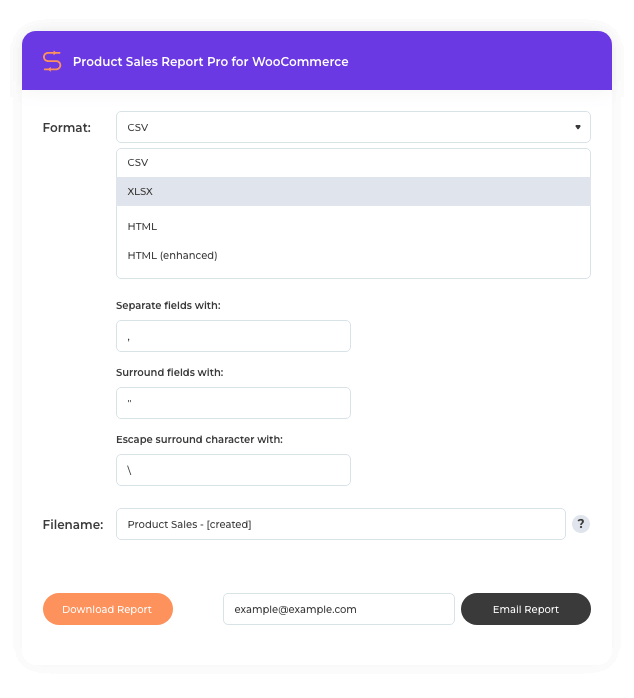
Downloadable Spreadsheet and Other Format Options
Download your report with a click or send it as an email for further analysis in your favorite spreadsheet software, in CSV, XLSX, HTML, or Enhanced HTML format.
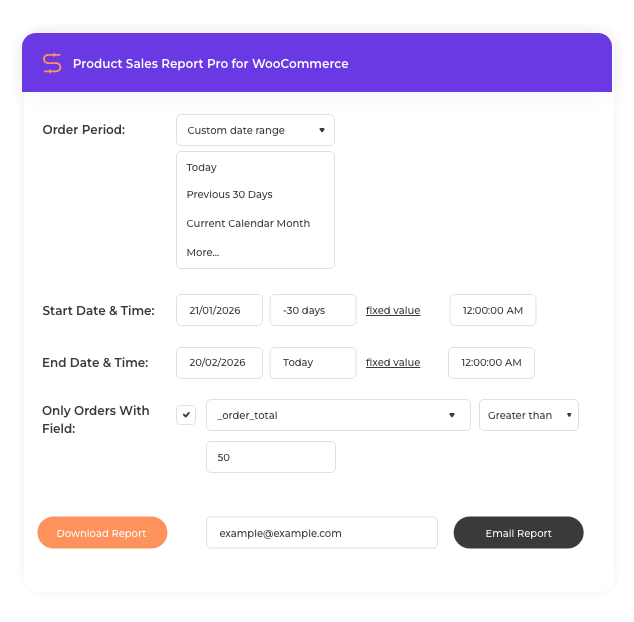
Conditional Logic and Dynamic Date Expressions
Use default WordPress and WooCommerce fields as well as custom fields created by third-party plugins. Set conditional logic (equal to, not equal to, less than, greater than or equal to, between, does not exist) and dynamic date expressions.
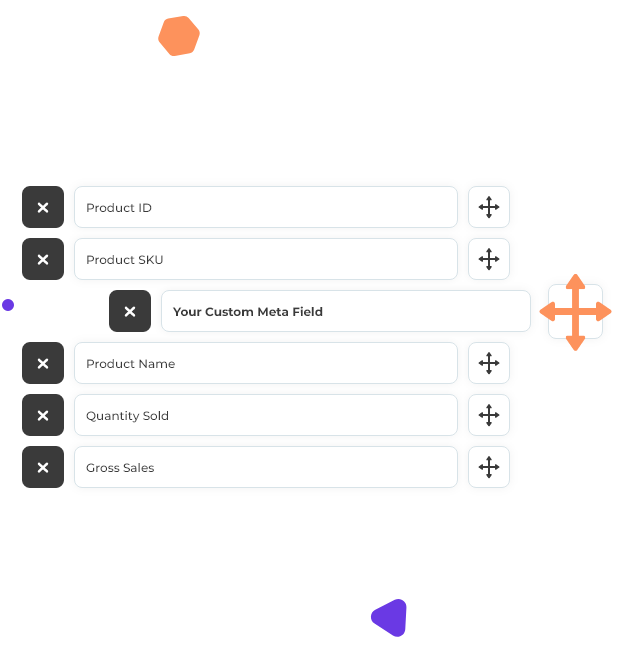
Reporting Fields Included
- Product ID
- Product SKU
- Product Name
- Quantity Sold
- Product Categories
- Current Product Price
- Current Product Price (Incl. Tax)
- Current Stock Quantity
- Gross Amount Refunded (Excl. Tax)
- Gross Amount Refunded (Incl. Tax)
- Product Publish Date/Time
- Variation ID
- Variation SKU
- Variation Attributes
- Gross Sales
- Gross Sales (After Discounts)
- Total Discount Amount
- Taxes
- Total Sales Including Tax
- Quantity Refunded
- Tax Refunded
- Other custom meta fields
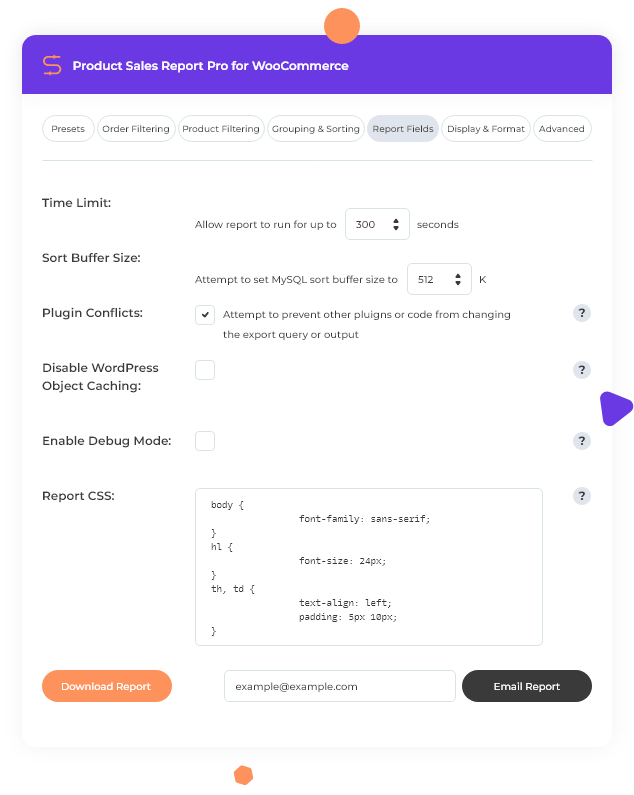
Developer Friendly and Flexible
For large product catalogs, extend how long report generation can run without timing out. Customize buffer size, prevent plugin conflicts, disable object caching, and debug mode. Plus, use the custom CSS field to customize the output styling of your HTML reports.
Integration and Compatibility
Looking to automate your reports, share them on the frontend of your site, or export details about an individual sale for order fulfillment? Check out these premium addons and standalone reporting solutions:




Extra Product Options Addon
Export Order Items Pro addon to support the WooCommerce Extra Product Options plugin.
Product Sales Report Pro and Ninjalytics - choosing the right solution
Product Sales Report Pro continues to be supported for existing users. For new projects and advanced WooCommerce reporting, Ninjalytics provides a modern, flexible solution with charts, calculated fields, and deeper insights.
Existing Product Sales Report Pro customers
If you already purchased Product Sales Report Pro from WP Zone, nothing changes for you. To access your plugin on BerryPress:
- Create a new account using the same email address as your WP Zone account
- The order will be automatically assigned to your BerryPress account
- You will then be able to download the plugin directly from BerryPress
- Review the FAQ.
Looking for more advanced reporting?
While Product Sales Report Pro remains available for existing users, our ongoing development efforts are focused on Ninjalytics for WooCommerce, which offers a more modern reporting experience and continued feature expansion. When you are ready, you are welcome to switch, and our support team can assist you with the transition. Ninjalytics delivers:
- More intuitive UI, charts, and a streamlined report builder.
- Import existing Product Sales Report Pro presets and continue where you left off.
- Includes all the features of Product Sales Report Pro - and more!
Comparison: Product Sales Report Pro vs Ninjalytics
For new projects and advanced WooCommerce reporting, Ninjalytics provides a modern, flexible solution with charts, calculated fields, and deeper insights.
| Feature | Ninjalytics | Product Sales Report Pro |
|---|---|---|
| One-click generate | Included | Included |
| Built-in email sharing | Included | Included |
| Save multiple report configurations for future use | Included | Included |
| Date range filtering | Included | Included |
| Order status filtering | Included | Included |
| User role filtering | Included | Included |
| Orders from customers with a specific field | Included | Included |
| Include specific products | Included | Included |
| Grouping | Included | Included |
| Sorting | Included | Included |
| Add, remove, and drag and drop report fields | Included | Included |
| Format your report | Included | Included |
| Advanced styling | Included | Included |
| Relative, absolute, or expression-based date ranges | Included | Included |
| Visualize report data as a line or bar chart | Included | Not included |
| Export details of individual orders | Included | Not included |
| More intuitive UI | Included | Not included |
| Report live preview | Included | Not included |
| Custom calculated fields | Included | Not included |
| Ninjalytics App (Android; iOS coming soon!) | Included | Not included |
| Multiple premade report templates | Included | Not included |
| Live Carts and Easy Digital Downloads support | Included | Not included |
| View Ninjalytics | View Plans |
Frequently Asked Questions
Can I export reports?
Can I automate recurring reports?
Does Product Sales Report Pro work with product data added by third-party plugins?
What is the future of Product Sales Report Pro?
Why am I being redirected to BerryPress?
I have an active subscription on WP Zone - what should I do before moving to Ninjalytics?
Resources & Support
Tags
WooCommerce sales reporting, ecommerce analytics, scheduled email reports, export presets, product performance tracking, revenue analysis, advanced sorting, granular filtering, CSV and spreadsheet exports, customizable report templates, dynamic date ranges, role-based access
krooisant
I needed reports to help make informed decisions for ordering new stock from suppliers and the Product Sales Report for WooCommerce was perfect. It can create very granular reports for specific product categories or one grand report for all our products. Well done!
Yinon Tubi
Looking for good frontend reports for my marketplace, I came across the winning trio, Products Sales Report, Export Items in combination with Frontend Reports. The trio were the best plugins I have found for this job, and the support team delivered new features quickly when needed.
Parrot
The best plugin! Helps our team monitor product performance and stay aligned on sales priorities.