
Export Order Items Pro
CHOOSE A PLAN
Free
- Access to free features
- Access to product updates and improvements
- Standard support
Single Site
- Access to all premium features
- Use on 1 website
- 1 year of updates
- 1 year customer support
- Priority support
- Cancel subscription anytime
Unlimited Sites
- Access to all premium features
- Use on unlimited websites
- 1 year of updates
- 1 year customer support
- Priority support
- Cancel subscription anytime
Export Order Items Pro for WooCommerce
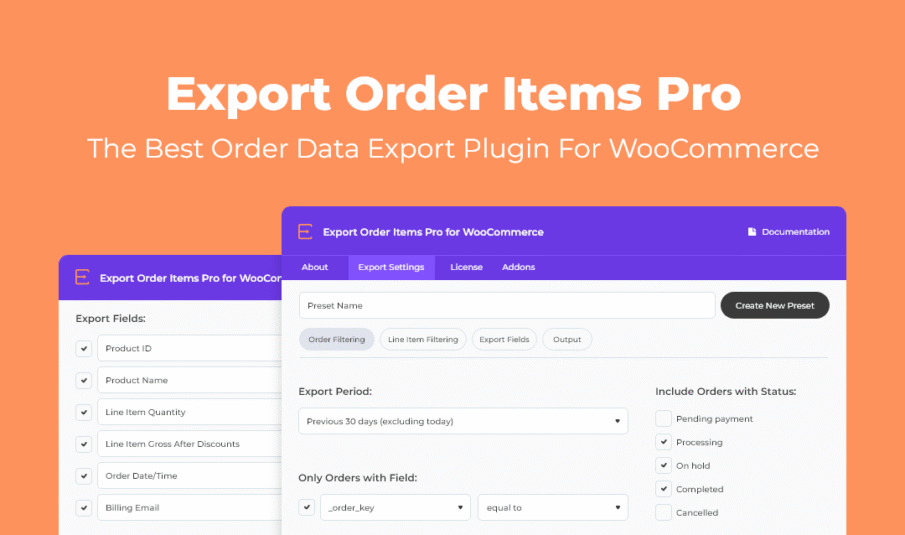
Export orders from your WooCommerce store with advanced sorting options into multiple formats, on-demand. Simplify order fulfillment, quickly download order details, and save time generating accounting reports with Export Order Items Pro.
Reporting Features and Benefits
- Simple order sorting – pull specific purchase information with ease
- Date range selector – with common presets or custom start and end date and time
- Presets – save your export settings and reuse your reports
- Set data fields – choose what you want to be included in the report
- Filter by order status – Pending Payment, Processing, Completed, Cancelled, and more
- Conditional logic – use dynamic fields for advanced report sorting
- Export by user role – generate order reports for specific customer roles
- Sort by category, tag, product ID – or any included field
- Include or exclude – free items, refunds, and shipping information
- Custom fields – include order line items, variations, and custom meta fields
- Multiple export formats – CSV, CSV-ASCII, XLS, XLSX, HTML, and HTML Enhanced
- Customize report layout – dynamic titles, additional rows, decimal formatting, and conditional sorting
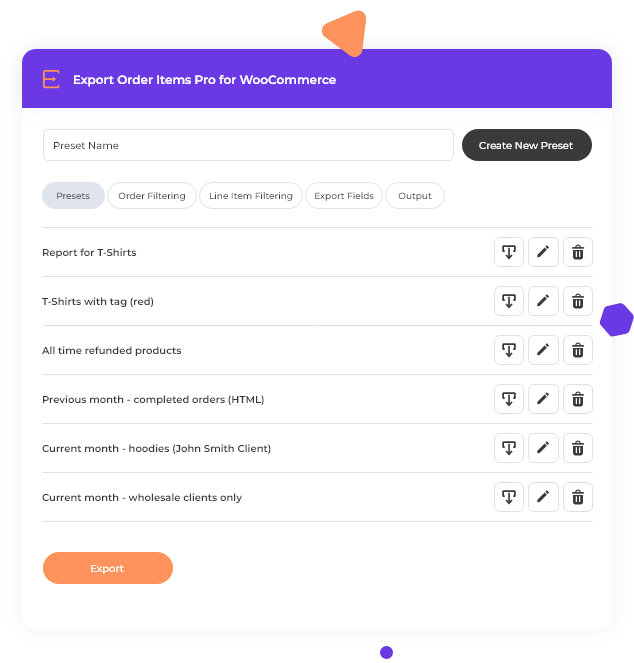
Save Time With Custom Presets
Build your report and save it as a preset that can be used over and over again. Presets can be downloaded with a click and are easy to edit or duplicate to use as a template for setting up new reports faster.
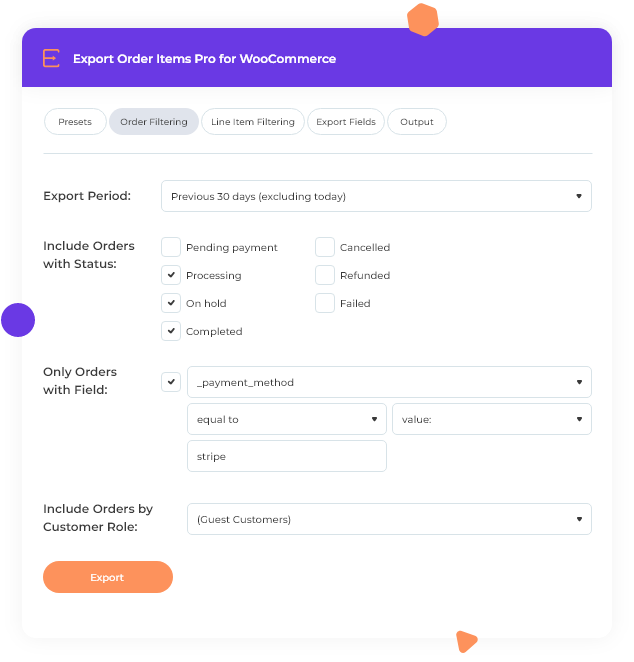
Advance Filtering, Better Reporting
Export Order Items Pro lets you use variables as filters for including and excluding orders from your report. Sort orders dynamically by date and time, fields, user information, product ID, order status, and customer role.
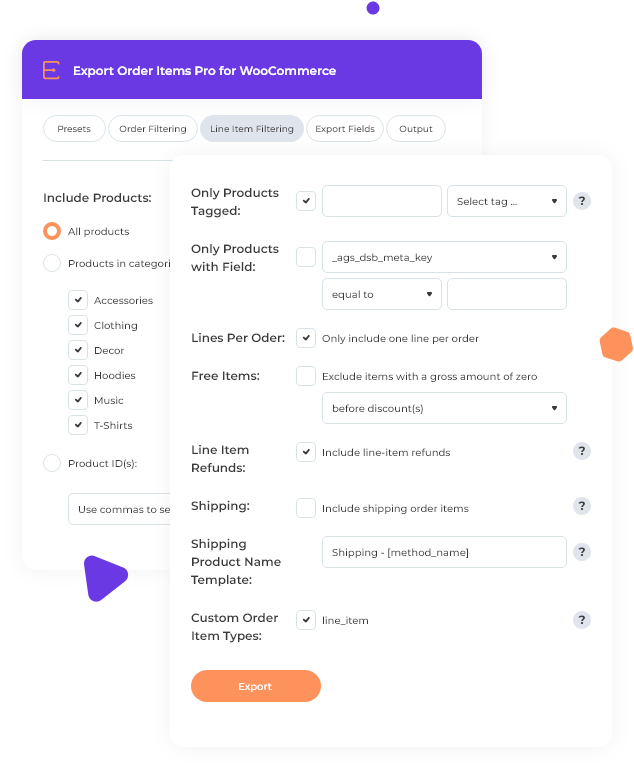
Line Item Filtering
Line Item Filtering lets you choose what products to include. Filter by tags (choose all products or specify categories and product ID's), product tags, fields, include free items, items with refunds, and choose whether or not to include the shipping. If you choose specific fields you can use logic to define what to include. Shipping allows you to define the template with method and line tags. You can also choose to include only one line per order.
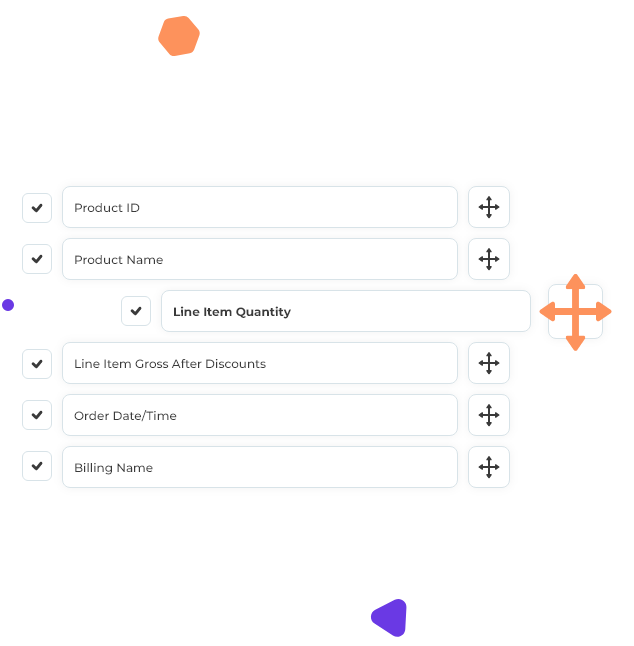
Drag And Drop Report Builder
Setup completely custom reports with drag and drop configuration. Choose what fields you want to be included in your exported order report. Add, reposition, change field titles, and use toggle controls for quickly including or excluding specific fields.
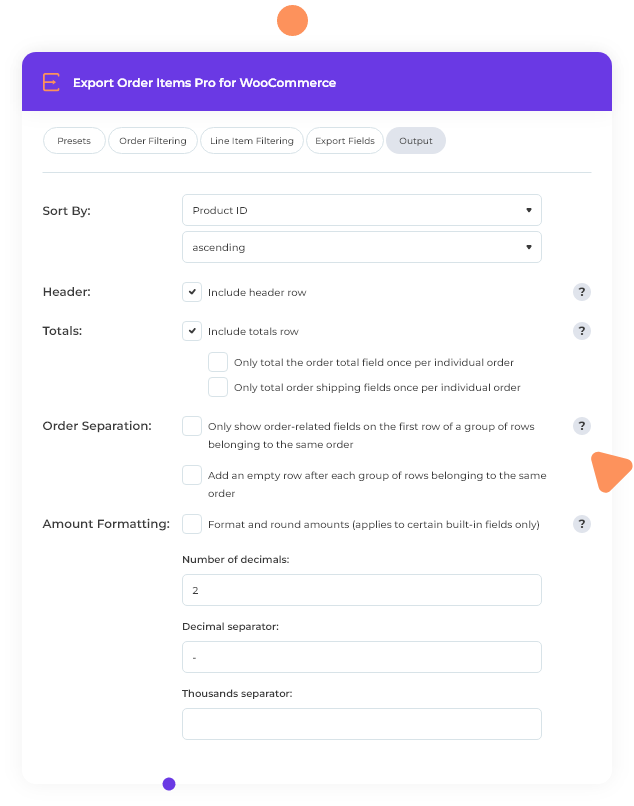
Human Readable Reports
Make your reports easy to read for both humans and efficient for a system. Display or hide the header row, add an empty row after each group, include a totals column, customize how numbers with decimals appear, and sort by a specific field in ascending or descending order to simplify human readability.
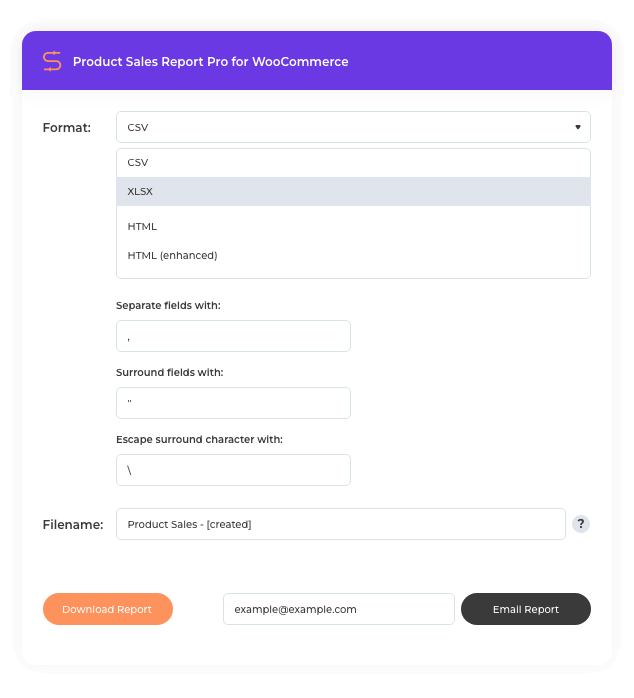
More Output Formats
Export Order Items Pro lets you export WooCommerce orders to CSV, CSV-ASCII, XLS, XLSX, HTML, and HTML Enhanced formats to make publishing, reading, and output easier. Send it as an attachment, publish it on your website, import it to your accounting software, and much more.
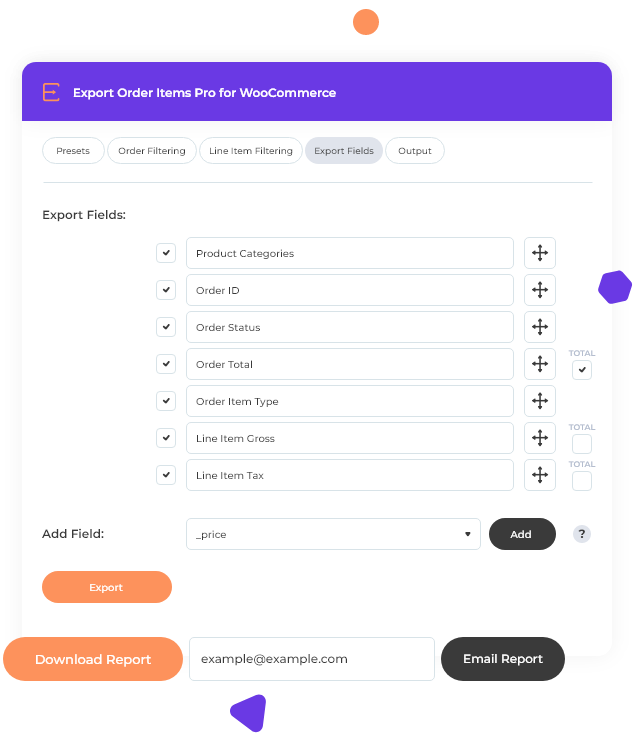
Easy To Download And Share
Create a new custom report or go to a preset to automatically generate and download. Want to automate report scheduling? Integrates with the Scheduled Email Reports for WooCommerce plugin to generate and send reports automatically.
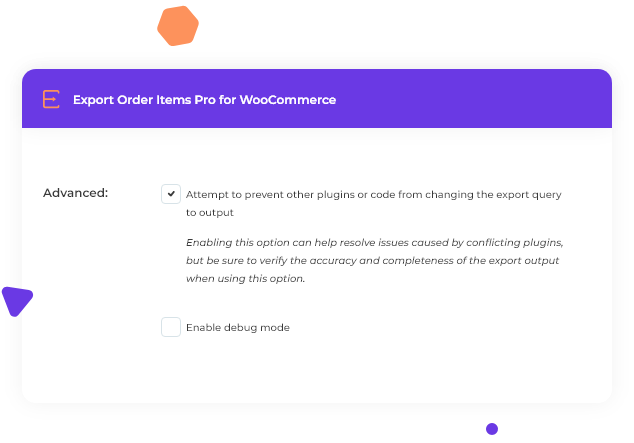
Developer Friendly
Export Order Items Pro has built-in tools to help ensure the best possible compatibility across multiple plugins, themes, and services. Prevent other plugins or code from changing the export query or output and debugging toggle controls.
Upgraded Reporting For WooCommerce
Expand Export Order Items Pro and your WooCommerce reporting capabilities with these reporting addons included with a membership:




Extra Product Options Addon
Addon for WooCommerce Extra Product Options plugin.
Frequently Asked Questions
Can I export order data to CSV or Excel?
Can I filter orders by date range?
Can I customize which fields are included in the export?
Does Export Order Items Pro work with custom fields added by other plugins?
Can I filter exports by order status?
Can I save my export settings as templates?
Can I automate recurring exports?
Can I export orders for specific products or categories?
Is there support for exporting customer billing and shipping information?
Resources & Support
Documentation
Step-by-step guides for setting up exports, creating presets, and using advanced filters.
View DocumentationTags
WooCommerce order export, order fulfillment, accounting reports, data export, CSV export, Excel export, order data, custom fields, scheduled exports, preset templates, advanced filtering, line item export, customer data export, order management
Yinon Tubi
Looking for good frontend reports for my marketplace, I came across the winning trio, Products Sales Report, Export Items in combination with Frontend Reports. The trio were the best plugins I have found for this job, but yet they would not answer every single request of my site. Jonathan had not only led me through the vast options of the plugins, but whenever we found out that it still does not meet completely the need of my site, he would open a feature request and add the specific feature for the next update.It was all done super fast in very professional and friendly manner.I am using support in quite a few aspects of my professional life, and have never met such a Wonderfull support. Thank you Jonathan