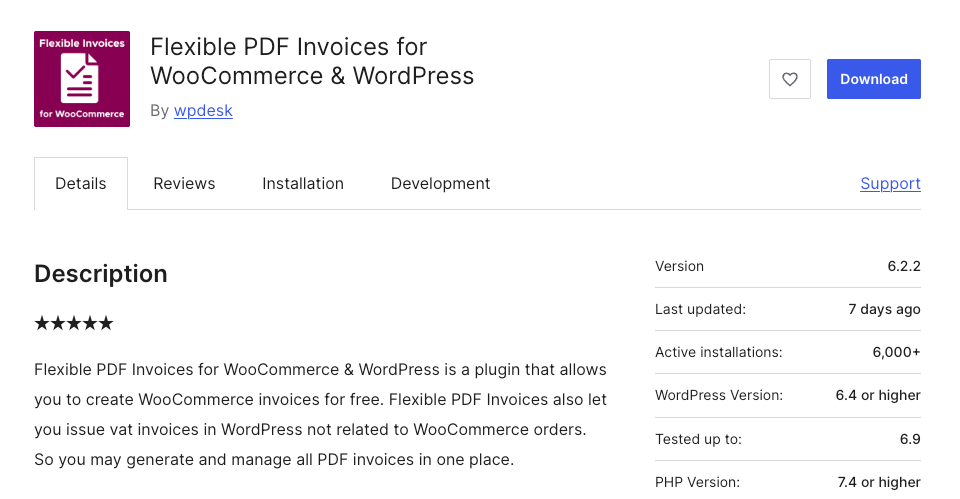
At BerryPress, we use the fantastic free Flexible PDF Invoices for WooCommerce & WordPress plugin by WPDesk to produce PDF invoices for our customers.
The invoices are issued in our store’s currency, USD, but also need to include the currency equivalent in zloty. Since we love a good automation, we recently created a small integration to calculate the currency exchange automatically and add it in the invoice notes. In our case we’re using rates from the National Bank of Poland (NBP) API, but a similar methodology applies for data feeds from other sources, such as the European Central Bank. Even more generically, this brief tutorial is a great example of how easy it is to extend the functionality of WooCommerce and other plugins using hooks!
Getting the Data…
The NBP API uses a straightforward and well-documented structure for its endpoint URLs. In our case, the data we need is available from the following URL, where YYYY-MM-DD is the date of the exchange rate:
https://api.nbp.pl/api/exchangerates/rates/A/USD/YYYY-MM-DD/?format=jsonNote that the equivalent URL (for USD-EUR conversions) from the European Central Bank API might look something like:
https://data-api.ecb.europa.eu/service/data/EXR/D.USD.EUR.SP00.A?startPeriod=YYYY-MM-DD&endPeriod=YYYY-MM-DD&format=jsondata&detail=dataonly…Programatically!
First we need to find the date of our invoice, which is stored in the _date_sale meta field (or we could use methods from the Flexible PDF Invoices plugin to retrieve it, but we’re doing the quick and dirty approach here):
$currencyTs = get_post_meta($invoiceId, '_date_sale', true);Then we retrieve the rate data, decode it, and make sure we have what we need:
$currencyResult = wp_remote_get(
  'https://api.nbp.pl/api/exchangerates/rates/A/USD/'
  . date('Y-m-d', $currencyTs)
  . '/?format=json'
);

$currencyResult = @json_decode(
  wp_remote_retrieve_body($currencyResult)
);

if (
  $currencyResult
  && isset($currencyResult->rates[0]->effectiveDate)
  && isset($currencyResult->rates[0]->mid)
) {
  // some more magic here
}
Writing Notes
We want our note to include currency conversions for three amounts (net / VAT / total), each of which can be retrieved from the invoice meta. We also want a line showing the exchange rate and the effective date that was used. So we build an array of lines for the note and save the finished note in the invoice’s _notes meta field:
$amounts = [
  'Net  ' => '_total_net',
  'VAT  ' => '_total_tax',
  'Total' => '_total_price'
];

$note = [];

foreach ($amounts as $label => $key) {
  $amount = get_post_meta($invoiceId, $key, true);
  $note[] = $label . ': '
    . '$'
    . number_format($amount, 2)
    . ' - '
    . number_format($amount * $currencyResult->rates[0]->mid, 2)
    . ' zl';
}

$note[] = '';
$note[] = '$1 = ' . $currencyResult->rates[0]->mid
  . ' zl; Narodowy Bank Polski rate effective '
  . $currencyResult->rates[0]->effectiveDate;

update_post_meta($invoiceId, '_notes', implode("\n", $note));
Gluing it Together
We can put everything into a neat and tidy function. We also need a loop, because the NBP rates may not be published on weekends and holidays; if a rate is not available, we want to go back a day or two to the last business day. Also, in our case, we are starting with the day before the sale.
function berrypress_add_invoice_currency_note($invoiceId) {
  $amounts = [
    'Net  ' => '_total_net',
    'VAT  ' => '_total_tax',
    'Total' => '_total_price'
  ];

  $currencyTs = get_post_meta($invoiceId, '_date_sale', true);

  if (!$currencyTs) {
    return;
  }

  for ($i = 0; $i < 10; ++$i) {
    $currencyTs -= DAY_IN_SECONDS;

    $currencyResult = wp_remote_get(
      'https://api.nbp.pl/api/exchangerates/rates/A/USD/'
      . date('Y-m-d', $currencyTs)
      . '/?format=json'
    );

    if (is_wp_error($currencyResult)) {
      continue;
    }

    $currencyResult = @json_decode(
      wp_remote_retrieve_body($currencyResult)
    );

    if (
      $currencyResult
      && isset($currencyResult->rates[0]->effectiveDate)
      && isset($currencyResult->rates[0]->mid)
    ) {
      $note = [];

      foreach ($amounts as $label => $key) {
        $amount = get_post_meta($invoiceId, $key, true);
        $note[] = $label . ': '
          . '$'
          . number_format($amount, 2)
          . ' - '
          . number_format($amount * $currencyResult->rates[0]->mid, 2)
          . ' zl';
      }

      $note[] = '';
      $note[] = '$1 = ' . $currencyResult->rates[0]->mid
        . ' zl; Narodowy Bank Polski rate effective '
        . $currencyResult->rates[0]->effectiveDate;

      update_post_meta($invoiceId, '_notes', implode("\n", $note));

      return;
    }
  }
}
Hooking it up
Finally, we need a way to automate our function so that it is triggered at the right time. One option is to add the note when an invoice is linked to the order, which happens after the invoice is created. We can use the added_order_meta hook to run our function when the invoice ID is saved on the order, like so:
add_action(
  'added_order_meta',
  function($metaId, $orderId, $metaKey, $metaValue) {
    if ($metaKey == '_invoice_generated') {
      // $metaValue = the invoice ID
      berrypress_add_invoice_currency_note((int) $metaValue);
    }
  },
  10,
  4
);
The Result:
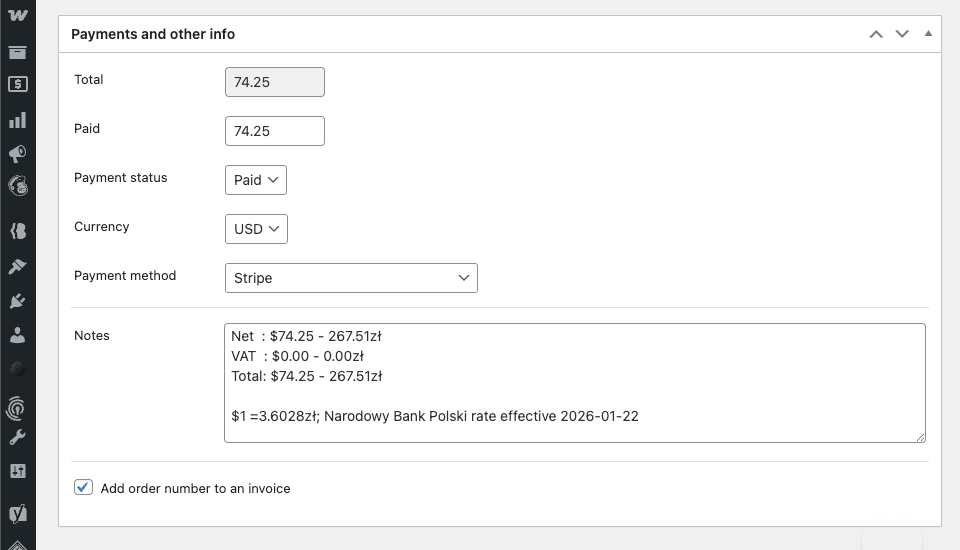
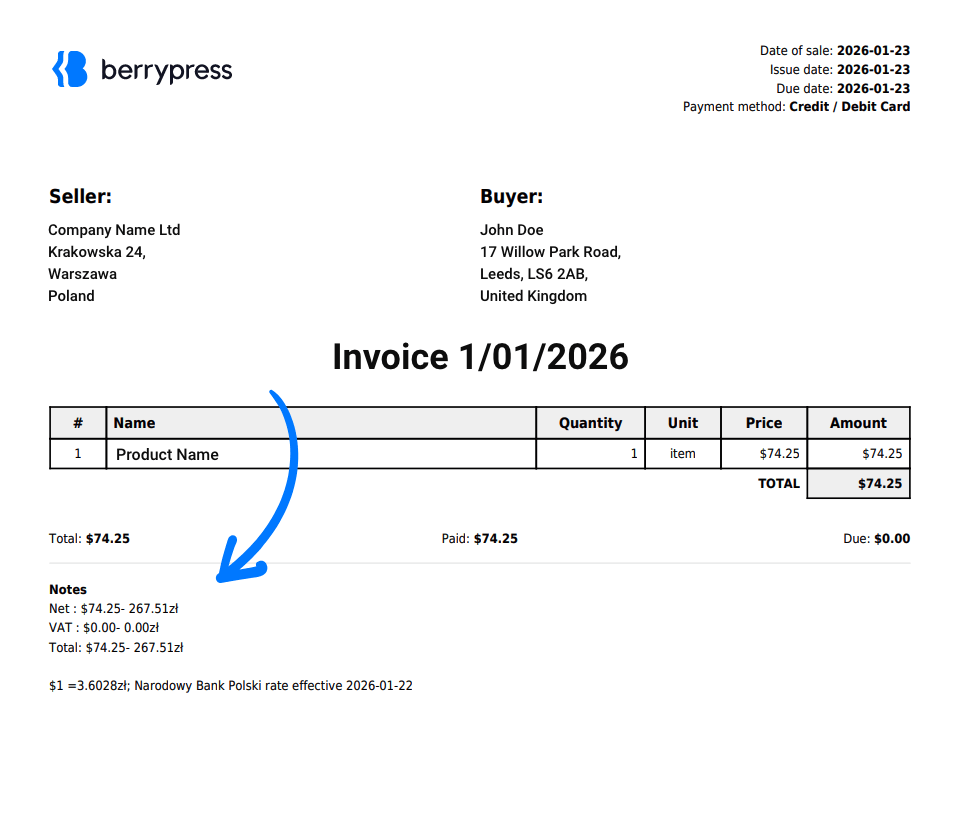
Summary:
Small automations like this can save a surprising amount of time. By hooking into the invoice creation process and pulling historical exchange rates from a public API, we were able to enrich WooCommerce PDF invoices with accurate currency conversions – without modifying the original plugin. It’s a simple example of how powerful (and flexible) WordPress hooks can be in real-world use cases.
If you are using a similar setup or have ideas for improving this approach, feel free to share your thoughts in the comments below. We would love to hear how you are extending WooCommerce in your own projects.